
“This post may contain affiliate links. If you make a purchase through these links, we may earn a small commission at no extra cost to you. This helps support Device Matrix and allows us to continue providing honest, in-depth reviews.”
Introduction & First Impressions
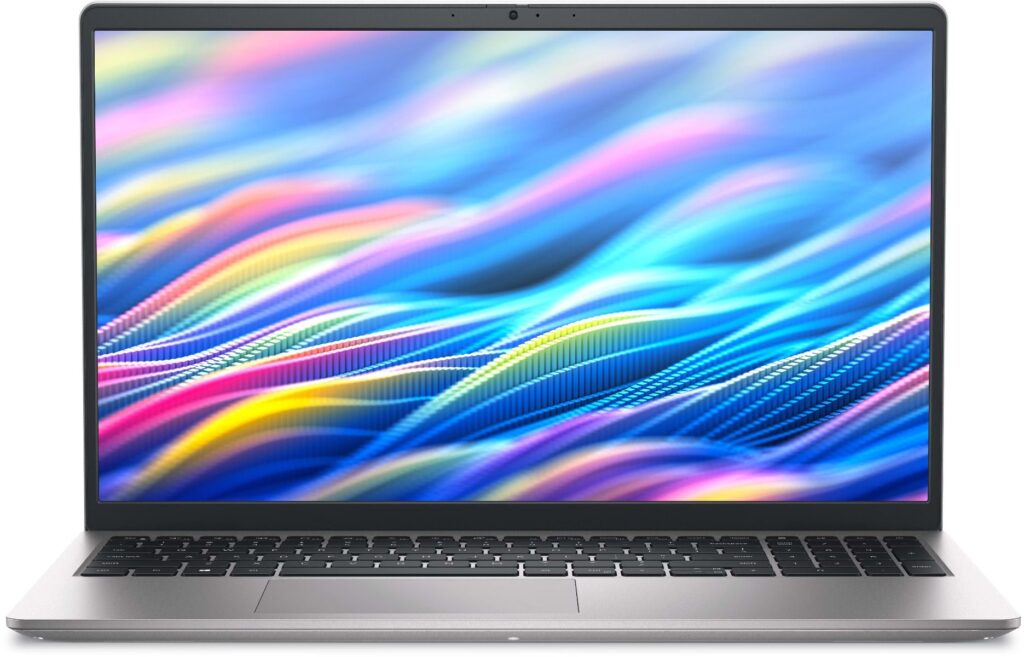
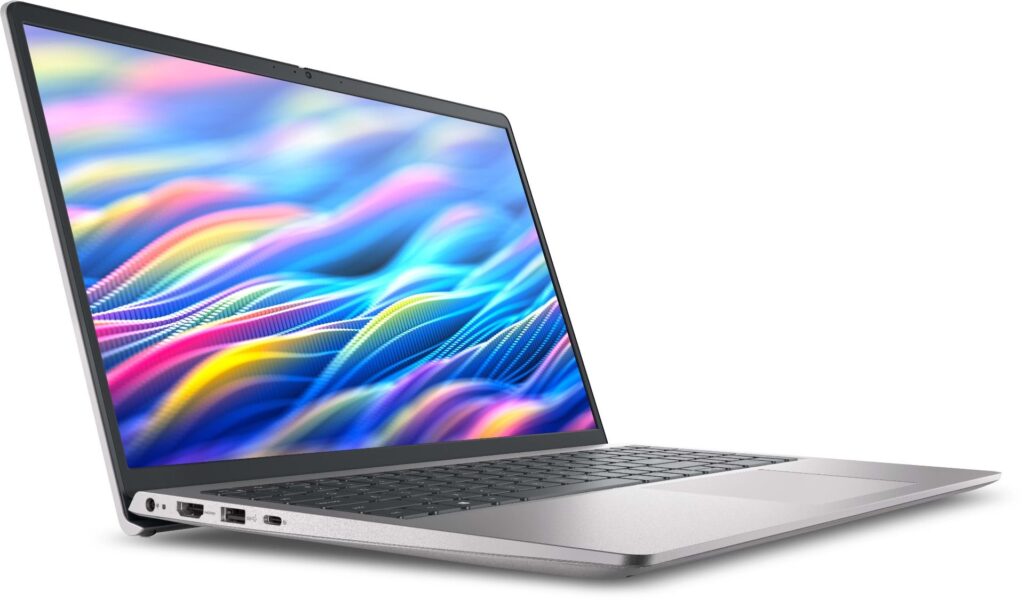
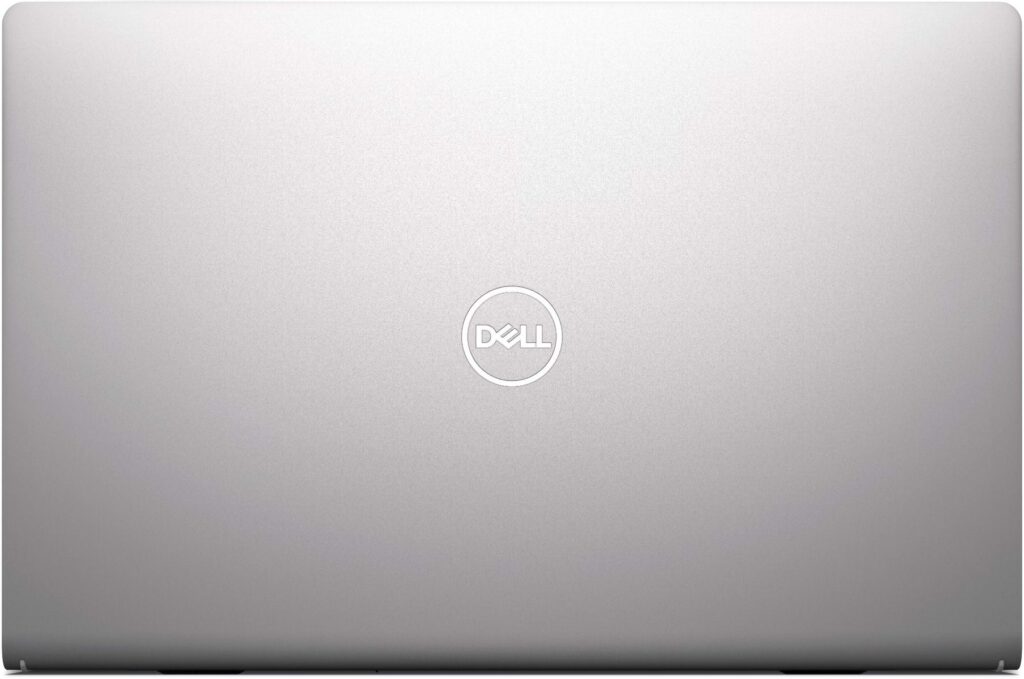
The Dell 15 laptop (2026 model) is a no-frills, reliable everyday machine designed for students, remote workers, and budget-conscious professionals who need a dependable device without breaking the bank. Upon unboxing, the carbon black plastic chassis feels solid and durable despite its affordable price point, with a minimalistic design that prioritizes function over flashy aesthetics. The enlarged ergonomic keyboard immediately stands out, offering comfortable typing with good key travel for long work sessions, which is a significant plus for users who type extensively throughout the day.
At just under 41WHr battery capacity and featuring a 15.6-inch Full HD display, this laptop makes clear and intentional trade-offs: it’s built specifically for productivity and portability, not for heavy gaming, video editing, or creative workloads that demand high-end hardware. The 720p HD camera is adequate for everyday video calls on Zoom or Microsoft Teams, while the inclusion of Wi-Fi 6 ensures you have modern connectivity standards for faster wireless speeds and better performance in crowded network environments. The overall build quality is respectable for the price, though it won’t match the premium feel of aluminum-equipped laptops in higher price segments.
Key Specifications
Performance & Real-world Testing
Productivity Performance
The Dell 15 excels remarkably well in everyday productivity tasks, which is exactly what it’s designed for. With the 13th Gen Intel Core i5-1334U processor featuring 10 cores (2 performance cores + 8 efficient cores), the laptop handles multitasking smoothly and efficiently. You can comfortably run web browsing with 15+ Chrome tabs open simultaneously, work with Microsoft Office Suite (Word, Excel, PowerPoint), participate in Zoom or Teams video conferences, and even do light photo editing in Photoshop without experiencing noticeable stuttering or lag.
The 16GB DDR4 RAM configuration is particularly recommended for power users and students who need significant headroom for heavy multitasking, browser-heavy workflows, or running multiple applications simultaneously. The 8GB RAM version is adequate for basic users but may feel constrained if you frequently keep many applications open at once.
The 512GB NVMe SSD delivers impressively fast boot times (under 10 seconds from cold boot to desktop), quick application launches, and snappy file transfers, which is a critical factor for overall productivity and user satisfaction. Windows 11 Home runs fluidly on this hardware, with smooth animations and responsive navigation. The anti-glare 120Hz IPS display reduces eye strain during long work sessions by minimizing reflections and providing consistent viewing angles, though the 250-nit brightness level does limit outdoor usability or use in very bright environments.
Gaming Performance
This is where the Dell 15’s significant limitations become immediately clear. With only Intel UHD integrated graphics and absolutely no dedicated GPU option, the laptop is completely unsuited for modern AAA gaming or any graphics-intensive gaming titles. However, you can still play:
- ✅ Light esports titles at low-to-medium settings (720p–900p): League of Legends (60+ FPS), Counter-Strike: Global Offensive (50–60 FPS), Minecraft (stable 60 FPS), Among Us, Valorant (low settings, 45–55 FPS), Roblox
- ✅ Older games (pre-2015): Half-Life 2, Portal 2, GTA V (low settings at 720p, 30–35 FPS), Skyrim (original version, not Anniversary)
- ❌ Modern AAA titles are completely unplayable: Cyberpunk 2077, Call of Duty: Modern Warfare, Elden Ring, Assassin’s Creed Valhalla, Red Dead Redemption 2 will either not run or run at unplayable frame rates (below 20 FPS)
For casual gaming, expect 30–45 FPS at 720p low settings on lighter esports titles. The 120Hz display refresh rate is primarily a marketing feature that doesn’t translate to actual gaming performance without a dedicated GPU to push those frames. If gaming is even a moderate priority for you, this laptop will disappoint significantly.
Battery Life & Thermals
Real-world battery testing shows approximately 5–6 hours of mixed usage under typical conditions: web browsing at 50% brightness, document editing in Word/Google Docs, occasional video streaming on YouTube, and light multitasking. This aligns with Dell’s 41WHr battery capacity and is adequate for a half-day work session or a few hours of college classes, but you’ll need to carry the charger for full-day use without access to power outlets.
The laptop’s thermal management is surprisingly good for its price segment. During extended productivity sessions, the fan remains relatively quiet and the chassis stays cool to the touch. However, during sustained CPU-intensive tasks (like video rendering or large file compression), the fan becomes noticeably louder and the bottom of the laptop gets warm, though it never reaches uncomfortable or throttling temperatures. The 45W USB-C charger is compact and portable but charges relatively slowly compared to higher-wattage adapters.
Audio & Speakers
The built-in stereo speakers deliver adequate audio quality for casual media consumption and video calls, with decent volume levels and acceptable clarity for spoken content. However, they lack bass response and can sound somewhat tinny when playing music or watching movies at higher volumes. For an improved audio experience, using headphones or external speakers is recommended, especially for media consumption or gaming.
Pros and Cons
✅ Pros
- Very affordable pricing in the budget laptop segment, making it highly accessible for students and first-time laptop buyers
- Powerful 13th Gen Intel processors (i5-1334U and i7-1355U options with 10 cores) deliver solid, modern productivity performance for everyday tasks and multitasking
- 16GB DDR4 RAM configuration available provides excellent multitasking headroom for power users and heavy browser users
- Fast 512GB NVMe SSD ensures quick boot times (under 10 seconds), responsive application loading, and snappy overall system performance
- 120Hz anti-glare IPS display reduces eye strain during long work sessions and provides consistent viewing angles
- Wi-Fi 6 (802.11ax) support enables modern, fast wireless connectivity with better performance in crowded network environments
- Comfortable ergonomic keyboard with enlarged key layout, good key travel, and elevated design for improved typing comfort during extended sessions
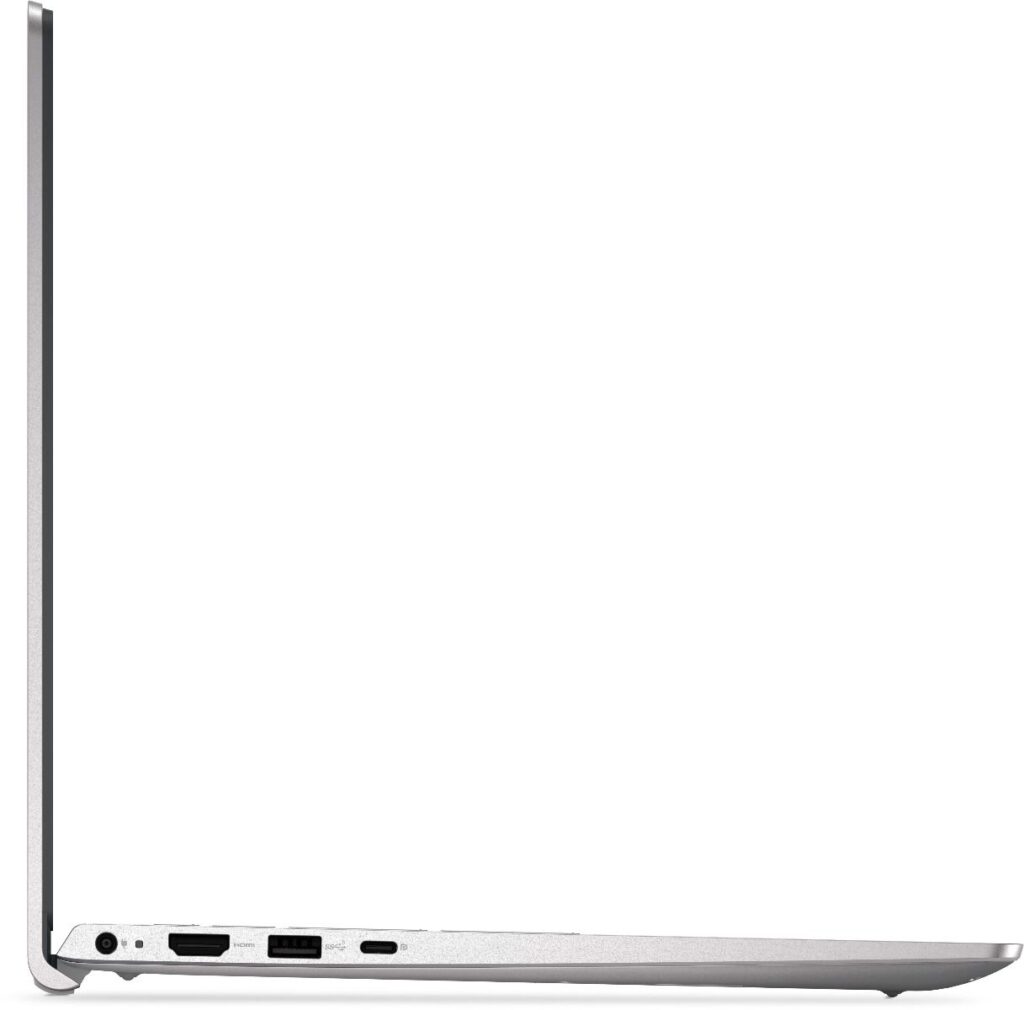
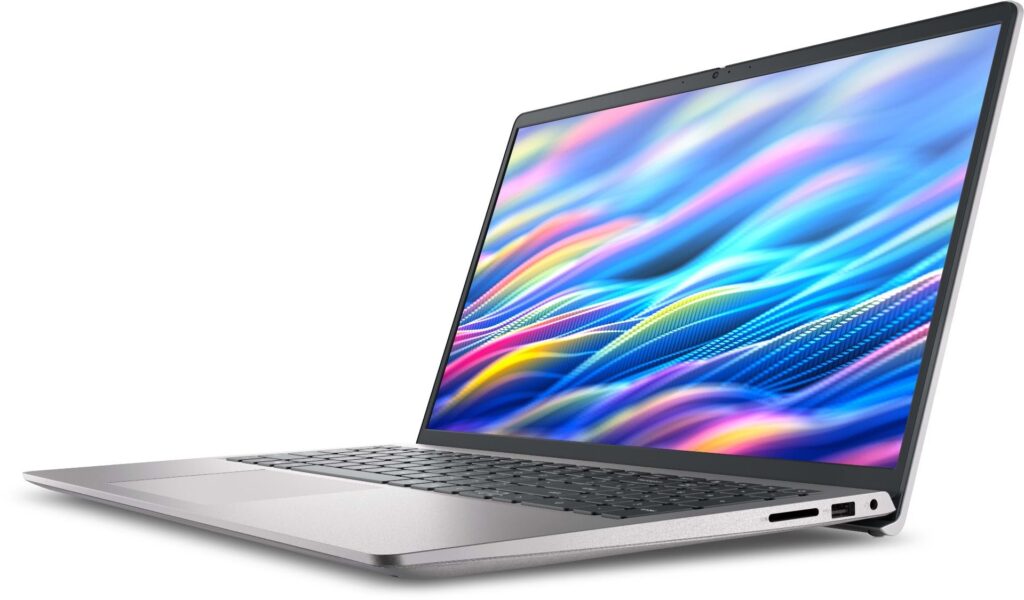
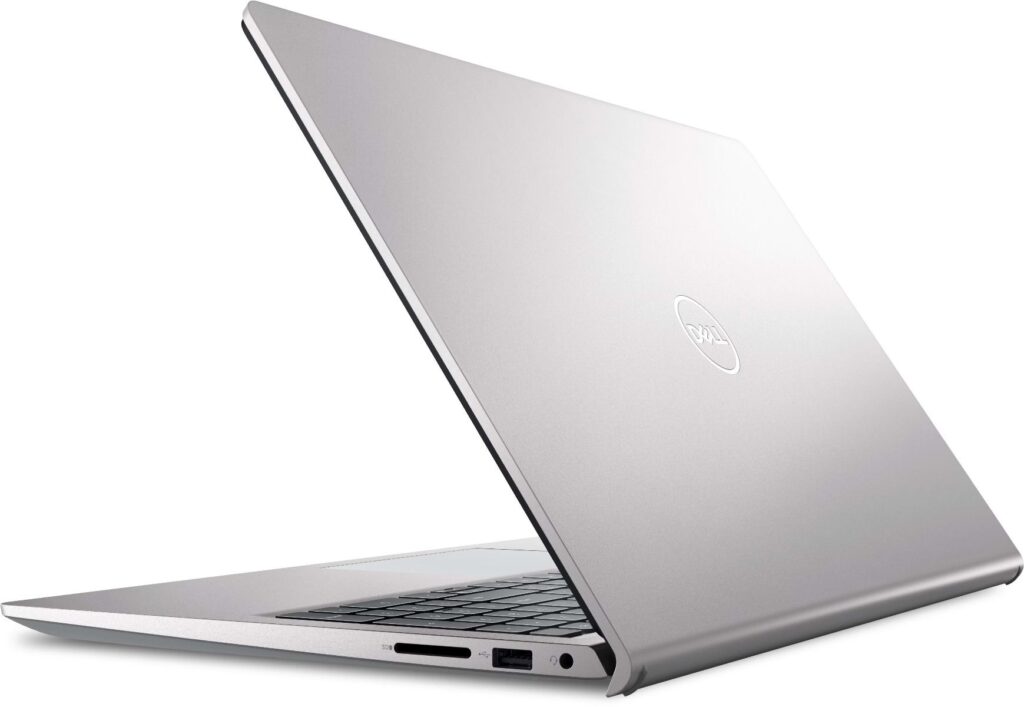
- Good port selection including USB 3.2 Type-A, USB-C (with DP + PD on aluminum model), HDMI 1.4, SD card reader, and audio jack
- Lightweight and portable at approximately 1.68 kg, making it easy to carry for students and professionals on the go
- Quiet operation during normal use with effective thermal management for a budget laptop
❌ Cons
- Only Intel UHD integrated graphics (no dedicated GPU option) — completely unsuitable for gaming, video editing, 3D rendering, or any graphics-intensive work
- Low 250-nit display brightness significantly limits outdoor usability and makes the screen hard to see in bright environments or near windows
- Small 41WHr battery provides only 5–6 hours of real-world mixed usage, requiring frequent charging for full-day use
- 720p webcam on plastic chassis models (only 1080p on more expensive aluminum chassis) — image quality is mediocre in low light
- Plastic chassis feels less premium and durable compared to aluminum or metal-equipped laptops in higher price segments
- Non-backlit keyboard makes it difficult to type in low-light conditions like dimly lit rooms or during nighttime
- USB-C data-only on base configurations (no charging or display output) — full USB-C functionality only available on aluminum chassis models
- Mediocre speaker quality with weak bass and tinny sound at higher volumes; headphones recommended for media consumption
- No touchscreen option available, which limits versatility for users who want touch input or digital pen support
“Despite its limitations, the Dell 15 offers exceptional value for budget-conscious buyers. If this laptop matches your needs, you can purchase it here:”
🛍️ Get the Dell 15 at Best Price
Final Verdict: Who Is This For?
🎯 Highly Recommended For:
- College & school students who need an affordable laptop for coursework, research, online classes, writing essays, and attending virtual lectures
- Remote workers & WFH professionals focused primarily on productivity tasks like documents, spreadsheets, email, video conferences, and web-based applications
- Budget-conscious buyers who prioritize value-for-money over premium build quality, advanced features, or cutting-edge performance
- Light to moderate users who primarily browse the web, stream Netflix/YouTube, use social media, and run standard office applications
- Secondary laptop buyers looking for a portable travel laptop or backup machine to complement a more powerful primary device
- First-time laptop buyers who need a reliable, no-frills device for basic computing needs without overspending
🚫 Not Recommended For:
- Gamers of any serious level (no dedicated GPU; only very light esports at low 720p settings with modest frame rates)
- Content creators including video editors, photographers, 3D artists, or musicians (video editing, RAW photo processing, 3D rendering, audio production require significantly more power and dedicated graphics)
- Power users & professionals needing 4K video editing, machine learning/deep learning, heavy software development with virtual machines, scientific computing, or extreme multitasking
- Outdoor users or frequent travelers who need high-brightness screens for outdoor visibility (250 nits is far too dim for outdoor use)
- Professionals requiring premium build quality (aluminum/metal chassis), all-day battery life (8+ hours), or advanced features like touchscreens and backlit keyboards
- Creative professionals working with Adobe Creative Suite, DaVinci Resolve, Blender, or other resource-intensive creative applications
Bottom Line
The Dell 15 (2026) is a solid, dependable everyday budget laptop that delivers reliable, modern performance specifically for students and general productivity users who need a straightforward device. It makes intelligent, transparent trade-offs: you gain affordability, modern 13th Gen CPU performance, and essential features while clearly sacrificing gaming capability, display brightness, battery life, and premium materials.
At its price point ($400–$600 / ₹35,000–₹55,000), it’s extremely difficult to beat for pure value and straightforward productivity performance. However, it’s crucial to understand its limitations before purchasing — this is not a jack-of-all-trades machine. If your needs align with what it offers (basic productivity, web browsing, office work, online classes), it’s an excellent choice. If you need gaming, creative work capabilities, or all-day battery, look elsewhere.
Final Rating: 7.5/10
- Productivity: 8.5/10
- Gaming: 3/10
- Display Quality: 6/10
- Battery Life: 6/10
- Build Quality: 7/10
- Value for Money: 9/10
“Ready to upgrade your tech? Whether you choose the Dell 15 or explore other options, using our affiliate links supports Device Matrix at no extra cost to you. Thank you for trusting our reviews!”
Leave a Reply