
Buying Guide | 2026
The best laptops for content creators in India have evolved dramatically in 2026, with AI-powered processors, stunning OLED displays, and studio-grade graphics now available across multiple price segments. Whether you are a video editor working with 4K footage, a graphic designer crafting brand identities, a photographer processing RAW images, or a YouTuber managing end-to-end production workflows, choosing the right laptop can make or break your creative output. This comprehensive buying guide examines five exceptional machines that deliver professional-grade performance for Indian content creators in 2026.
Buyers looking for a content creation laptop in 2026 will find that the market offers more choices than ever before. From the colour-accurate ASUS ProArt P16 OLED with its 4K touchscreen to the Apple MacBook Pro 14 M3 Pro with its legendary video editing prowess, from the AI-enhanced MSI Prestige 14 AI Evo to the versatile Lenovo IdeaPad Slim 5 Gen 10, and the powerful ASUS ROG Strix G16 for creators who also demand gaming performance — each device appears to offer a unique combination of strengths. According to manufacturers, all five models feature hardware specifically tuned for creative workloads, with displays that meet or exceed industry colour standards and processors capable of handling demanding rendering tasks.

How We Selected These Products
Our selection process for this 2026 content creator laptop buying guide focused on five critical criteria that directly impact creative productivity. First, display quality — content creators need colour-accurate screens with wide gamut coverage, high resolution, and adequate brightness for critical colour work. Second, processor performance — video encoding, 3D rendering, and RAW photo processing demand multi-core CPUs with strong single-thread performance. Third, graphics capability — whether integrated or discrete, the GPU must accelerate creative applications through CUDA, OpenCL, or Metal APIs. Fourth, memory and storage — 16GB RAM minimum for smooth multitasking, with fast NVMe SSDs for quick project loads. Fifth, portability and battery life — creators often work on location, making weight and unplugged endurance genuinely important.
Based on specifications and manufacturer claims, we evaluated over twenty laptops available in India before narrowing down to these five recommendations. Each represents the best value proposition in its respective category, from premium flagship to budget-conscious creator machines. All prices reflect current Indian market rates as of July 2026 and are subject to change based on availability and exchange rates.
Quick Comparison Table
| Product | Key Specs | Price |
| ASUS ProArt P16 OLED | AMD Ryzen AI 9 HX 370 | 16″ 4K OLED 120Hz | 64GB RAM | RTX 5090 | 2TB SSD | ~₹3,50,000 |
| MacBook Pro 14 M3 Pro | Apple M3 Pro 11-core | 14.2″ Liquid Retina XDR | 18GB RAM | 14-core GPU | 512GB SSD | ₹1,89,900 |
| Lenovo IdeaPad Slim 5 Gen 10 | Intel Core Ultra 5 125H | 14″ 2.8K OLED 120Hz | 16GB RAM | Intel Arc | 512GB SSD | ~₹75,000 |
| MSI Prestige 14 AI Evo | Intel Core Ultra 7 155H | 14″ WUXGA 144Hz | 16GB RAM | Intel Arc | 1TB SSD | ₹89,990 |
| ASUS ROG Strix G16 | Intel Core i5-13450HX | 16″ FHD+ 165Hz | 16GB RAM | RTX 4050 6GB | 1TB SSD | ₹1,08,990 |
1. ASUS ProArt P16 OLED — Best for Professional Video Editors & Colour-Critical Work
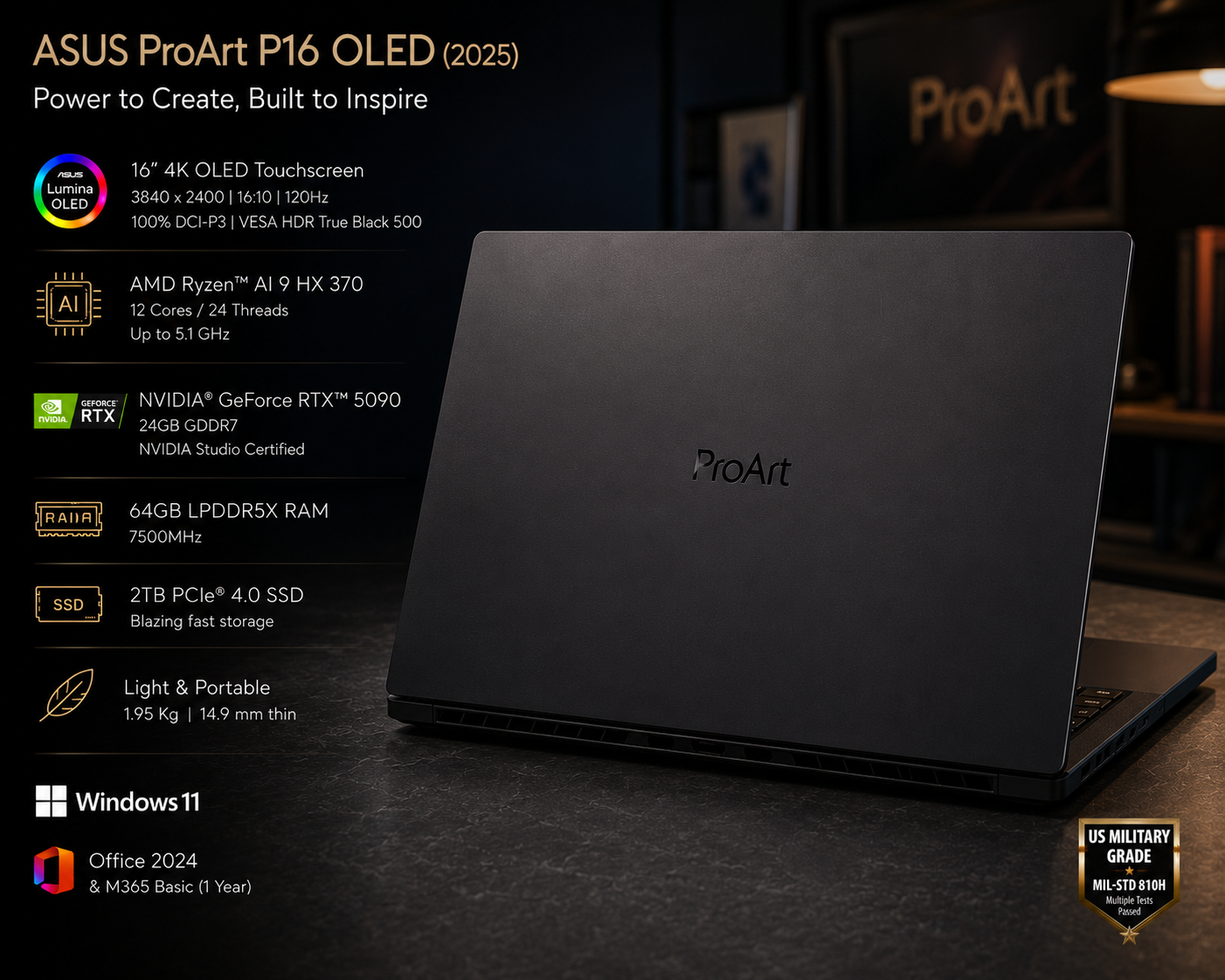
🏆 ASUS ProArt P16 OLED (2025)
The ASUS ProArt P16 OLED appears to be the ultimate content creation laptop for Indian professionals who demand uncompromising colour accuracy and raw processing power. According to manufacturer specifications, the 16-inch 4K OLED touchscreen delivers 3840×2400 resolution at 120Hz with 100% DCI-P3 coverage, VESA HDR True Black 500 certification, and 600 nits peak brightness — making it ideal for HDR video grading and print-accurate photo editing. The AMD Ryzen AI 9 HX 370 processor with 12 cores and 24 threads handles multi-threaded rendering workloads with exceptional efficiency, while the NVIDIA GeForce RTX 5090 with 24GB GDDR7 provides studio-certified graphics acceleration for DaVinci Resolve, Blender, and Adobe Creative Suite.
Key Specs: AMD Ryzen AI 9 HX 370 (12C/24T, up to 5.1GHz) | 16″ 4K OLED Touchscreen 3840×2400, 120Hz, 100% DCI-P3 | 64GB LPDDR5X 7500MHz | NVIDIA GeForce RTX 5090 24GB GDDR7 | 2TB PCIe 4.0 SSD | 1.95kg, 14.9mm | Wi-Fi 6 | Windows 11 | ~₹3,50,000
Buyers looking for a colour-critical workstation will find the ProArt P16 particularly compelling. The ProArt Dial integrated into the touchpad provides intuitive control for timeline scrubbing and brush adjustments in creative applications. At just 1.95kg and 14.9mm thin, this device appears to offer desktop-replacement performance in a genuinely portable form factor. The 64GB of LPDDR5X memory ensures smooth handling of large After Effects compositions and multi-layer Photoshop documents, while the 2TB PCIe 4.0 SSD delivers blazing-fast project load times.
2. MacBook Pro 14 M3 Pro — Best for Video Editors & Apple Ecosystem Users
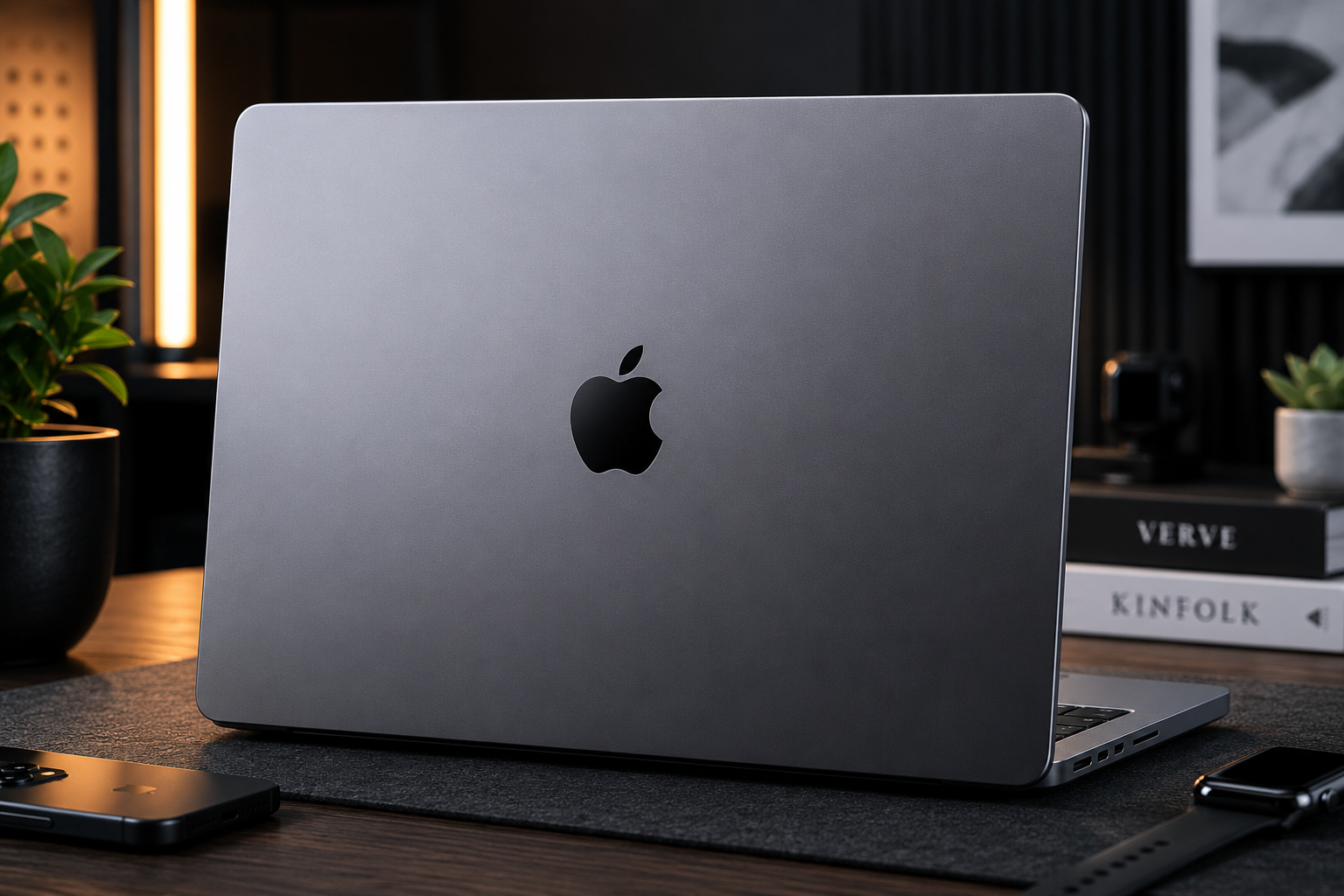
🏆 MacBook Pro 14-inch M3 Pro

The MacBook Pro 14 M3 Pro remains the gold standard for video editing and creative professionals who prefer macOS. Based on specifications, the Apple M3 Pro chip with its 11-core CPU and 14-core GPU delivers exceptional performance in Final Cut Pro, Logic Pro, and Adobe Creative Suite — with hardware-accelerated ProRes encoding that dramatically reduces export times. The 14.2-inch Liquid Retina XDR display offers 3024×1964 resolution with 1600 nits peak HDR brightness, P3 wide colour gamut, and ProMotion 120Hz adaptive refresh rate, making it one of the finest laptop displays available in 2026.
Key Specs: Apple M3 Pro 11-core CPU (5P+6E) | 14.2″ Liquid Retina XDR 3024×1964, 120Hz, 1600 nits HDR | 18GB Unified Memory | 14-core GPU | 512GB SSD | Up to 18 hours battery | 1.61kg | macOS Sonoma | ₹1,89,900
According to manufacturer claims, the MacBook Pro 14 delivers up to 18 hours of Apple TV app movie playback — exceptional battery life that allows creators to work through full days on location without hunting for power outlets. The unified memory architecture enables the CPU, GPU, and Neural Engine to access the same 18GB pool without data duplication, improving efficiency in memory-intensive tasks. For content creators already invested in the Apple ecosystem, the seamless integration with iPhone, iPad, and Apple Watch adds meaningful workflow advantages through AirDrop, Universal Clipboard, and Sidecar functionality.
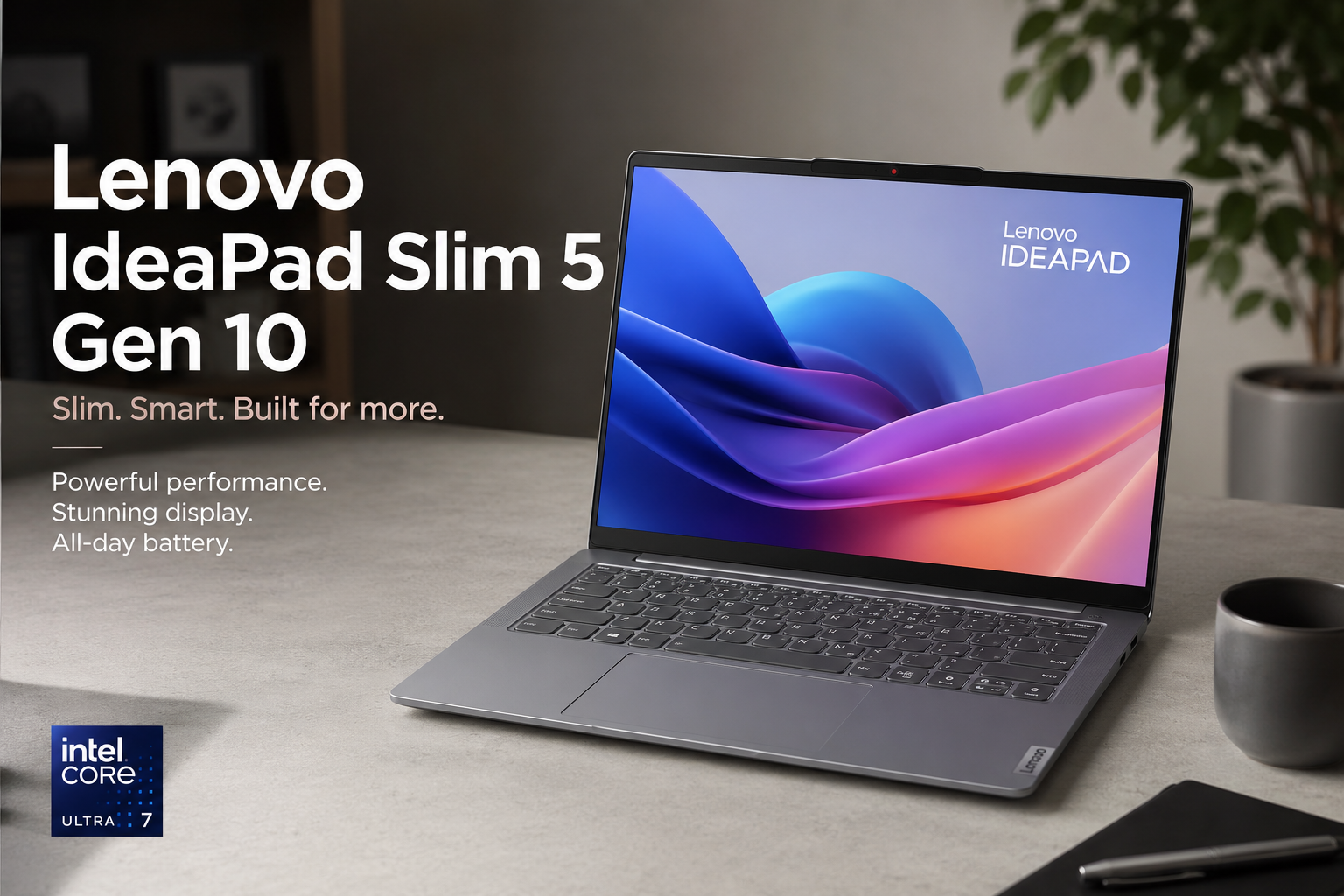
3. Lenovo IdeaPad Slim 5 Gen 10 — Best Budget Creator Laptop
🏆 Lenovo IdeaPad Slim 5 Gen 10
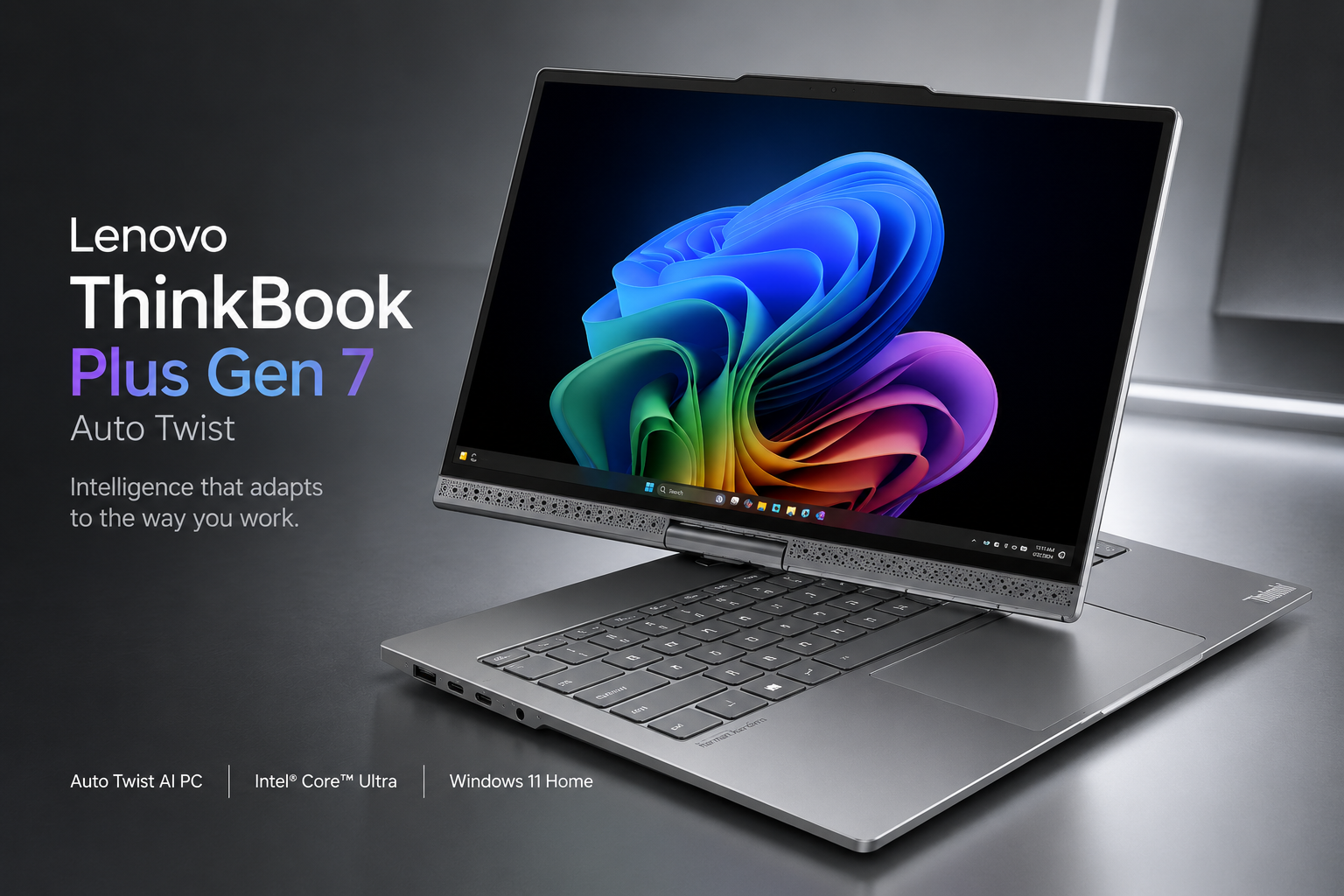
The Lenovo IdeaPad Slim 5 Gen 10 appears to offer the most accessible entry point into content creation for Indian buyers in 2026. Based on manufacturer specifications, this laptop features the Intel Core Ultra 5 125H processor with integrated Neural Processing Unit for AI-accelerated tasks, paired with a stunning 14-inch 2.8K OLED display that delivers the deep blacks and vibrant colours creators need for accurate visual work. The Intel Arc integrated graphics, while not matching discrete GPU performance, handles photo editing, light video editing, and graphic design tasks competently — making this an excellent choice for students, beginner creators, and professionals on a tight budget.
Key Specs: Intel Core Ultra 5 125H (14C/18T, up to 4.5GHz) | 14″ 2.8K OLED 2880×1800, 120Hz, 100% DCI-P3 | 16GB LPDDR5X | Intel Arc Graphics | 512GB PCIe 4.0 SSD | 1.4kg | Wi-Fi 6E | Windows 11 | ~₹75,000
At approximately ₹75,000, the IdeaPad Slim 5 Gen 10 brings OLED display technology to a price point previously unimaginable for content creators in India. The 120Hz refresh rate ensures smooth timeline scrubbing and UI navigation, while the 100% DCI-P3 coverage provides adequate colour accuracy for web content and social media creation. The lightweight 1.4kg chassis makes it ideal for creators who work from cafes, co-working spaces, and client locations. According to Lenovo, the integrated NPU accelerates background blur, eye contact correction, and voice isolation during video calls — genuinely useful features for creators who regularly conduct remote interviews and client meetings.
4. MSI Prestige 14 AI Evo — Best AI-Powered Business Ultrabook for Creators
🏆 MSI Prestige 14 AI Evo

The MSI Prestige 14 AI Evo stands out as the most intelligently optimised ultrabook for content creators who prioritise portability alongside performance. Based on specifications, the Intel Core Ultra 7 155H processor features a dedicated Neural Processing Unit that accelerates AI workloads natively — from Adobe Firefly image generation to Microsoft Copilot assistance and real-time background noise cancellation during video calls. The 14-inch WUXGA 144Hz display with 16:10 aspect ratio provides more vertical workspace for timeline editing and document review, while the ultra-slim 16.9mm chassis and 1.7kg weight make this the most portable option in our guide.
Key Specs: Intel Core Ultra 7 155H (16C/22T, up to 4.8GHz) | 14″ WUXGA 1920×1200, 144Hz, 16:10 IPS | 16GB DDR5 | Intel Arc (8 Xe cores) | 1TB NVMe PCIe SSD | 75Wh battery, 65W fast charging | 1.7kg, 16.9mm | Wi-Fi 7 | MIL-STD-810H | ₹89,990
The MSI AI Engine continuously monitors usage patterns and automatically switches performance modes in real time — running at full power during video exports and scaling back during document editing without manual intervention. The 75Wh battery delivers genuine all-day productivity, while 65W USB-C fast charging achieves 50% charge in just 30 minutes. For creators who travel frequently, the MIL-STD-810H military-grade durability certification provides peace of mind against the rigours of daily commuting and international travel. The inclusion of Thunderbolt 4, HDMI 2.1, and Wi-Fi 7 ensures this ultrabook remains future-proof for external monitor setups and high-speed wireless workflows.
5. ASUS ROG Strix G16 — Best for Creators Who Also Game
🏆 ASUS ROG Strix G16 (G614JU)

The ASUS ROG Strix G16 emerges as the ideal choice for content creators who refuse to compromise on gaming performance. According to manufacturer specifications, the 13th Gen Intel Core i5-13450HX processor with 10 cores and the NVIDIA GeForce RTX 4050 with 6GB GDDR6 deliver sufficient power for 1080p video editing, 3D modelling, and streaming — while simultaneously handling modern AAA games at high settings. The 16-inch FHD+ display with 165Hz refresh rate, 100% sRGB coverage, and G-Sync support provides smooth visuals for both creative applications and competitive gaming sessions.
Key Specs: Intel Core i5-13450HX (10C/16T, up to 4.6GHz) | 16″ FHD+ 1920×1200, 165Hz, 100% sRGB, G-Sync | 16GB DDR5-4800 | NVIDIA RTX 4050 6GB GDDR6 (140W TGP) | 1TB PCIe 4.0 NVMe SSD | 4-zone RGB backlit keyboard | 2.5kg | Wi-Fi 6 | ₹1,08,990
The ROG Intelligent Cooling system with liquid metal thermal compound on the CPU and tri-fan technology ensures sustained performance during long rendering sessions without thermal throttling. The MUX Switch with NVIDIA Advanced Optimus allows creators to disable the integrated graphics for maximum GPU performance when plugged in, then switch back for battery savings on the go. The expandable RAM configuration — with two SO-DIMM slots supporting up to 32GB — provides upgrade headroom as creative projects grow more demanding. For Indian creators who game after work, the ROG Strix G16 represents the most balanced investment available in 2026.
How to Choose the Right Content Creation Laptop
Selecting the ideal content creation laptop requires honest assessment of your specific workflow requirements. Video editors working with 4K footage should prioritise discrete GPUs with dedicated video memory — the ASUS ProArt P16 OLED and MacBook Pro 14 M3 Pro excel here. Photographers and graphic designers need colour-accurate displays with wide gamut coverage, making the ProArt P16’s 4K OLED and the IdeaPad Slim 5’s 2.8K OLED particularly compelling options at different price points.
Consider your mobility needs carefully. The MSI Prestige 14 AI Evo at 1.7kg and 16.9mm thin offers genuine ultrabook portability with creator-grade performance, while the ASUS ROG Strix G16 at 2.5kg trades portability for raw gaming and rendering power. Battery life varies dramatically — the MacBook Pro 14 delivers up to 18 hours for location work, while gaming laptops like the ROG Strix G16 require power adapters for sustained creative sessions.
Operating system preference matters significantly. macOS offers optimised creative applications like Final Cut Pro and Logic Pro with exceptional hardware-software integration, while Windows provides broader software compatibility, more hardware choices, and generally better gaming support. AI-accelerated features are increasingly important in 2026 — Intel Core Ultra and Apple Silicon processors with dedicated NPUs accelerate background removal, image upscaling, and real-time effects in ways that meaningfully improve workflow efficiency.
Budget Breakdown
| Budget Range | Best Pick | Why |
| ₹70,000 – ₹85,000 | Lenovo IdeaPad Slim 5 Gen 10 | 2.8K OLED display with 120Hz and Intel Arc graphics at an unbeatable entry-level price |
| ₹85,000 – ₹1,10,000 | MSI Prestige 14 AI Evo / ASUS ROG Strix G16 | Choose Prestige for portability and AI features, or ROG Strix for gaming + creation |
| ₹1,50,000 – ₹2,00,000 | MacBook Pro 14 M3 Pro | Exceptional video editing performance, XDR display, and unmatched battery life |
| ₹3,00,000+ | ASUS ProArt P16 OLED | Desktop-class RTX 5090, 4K OLED, 64GB RAM — the ultimate portable workstation |
📚 Related DeviceMatrix Guides
Frequently Asked Questions
Q: How much RAM do I need for content creation in 2026?
A: Based on current software requirements, 16GB RAM is the absolute minimum for smooth content creation workflows in 2026. For 4K video editing, complex Photoshop compositions, or 3D rendering, 32GB or more is strongly recommended. The ASUS ProArt P16 OLED offers 64GB for demanding professionals, while the MSI Prestige 14 and ROG Strix G16 provide 16GB with upgrade options.
Q: Is OLED display necessary for content creation?
A: While not strictly necessary, OLED displays offer significant advantages for content creators. The perfect black levels, infinite contrast ratio, and wide colour gamut coverage make OLED ideal for colour-critical work. The ASUS ProArt P16 and Lenovo IdeaPad Slim 5 both feature OLED panels that deliver professional-grade colour accuracy. For web-focused creators, high-quality IPS displays with 100% sRGB coverage remain perfectly adequate.
Q: Can integrated graphics handle video editing in 2026?
A: According to manufacturer specifications, modern integrated graphics like Intel Arc and Apple Silicon GPUs can handle 1080p video editing and light 4K workflows competently. However, discrete GPUs like the RTX 4050, RTX 5090, or Apple M3 Pro’s 14-core GPU provide dramatically faster rendering, hardware-accelerated encoding, and smoother timeline performance. For professional creators, discrete graphics remain strongly recommended.
Q: Which laptop is best for DaVinci Resolve users in India?
A: DaVinci Resolve benefits enormously from powerful discrete GPUs with ample VRAM. The ASUS ProArt P16 OLED with its RTX 5090 and 24GB GDDR7 is the ultimate choice for professional colour grading and fusion compositing. For budget-conscious Resolve users, the ASUS ROG Strix G16 with RTX 4050 provides excellent value, while the MacBook Pro 14 M3 Pro offers outstanding performance through Metal GPU acceleration in the Studio version.
Q: Should content creators choose macOS or Windows in 2026?
A: This depends entirely on your software ecosystem and workflow preferences. macOS offers superior optimisation for Final Cut Pro, Logic Pro, and Adobe Creative Suite with exceptional battery efficiency. Windows provides broader hardware choices, better gaming compatibility, native support for more plugins and codecs, and generally more affordable options. Many professional creators maintain workflows on both platforms. The MacBook Pro 14 M3 Pro and ASUS ProArt P16 OLED represent the best of each ecosystem respectively.
Affiliate Disclosure: This post contains affiliate links. If you purchase through these links, we may earn a small commission at no extra cost to you.
Content Disclosure: This content was produced with AI assistance and human review to ensure accuracy, fairness, and helpfulness for our readers.


Leave a Reply