
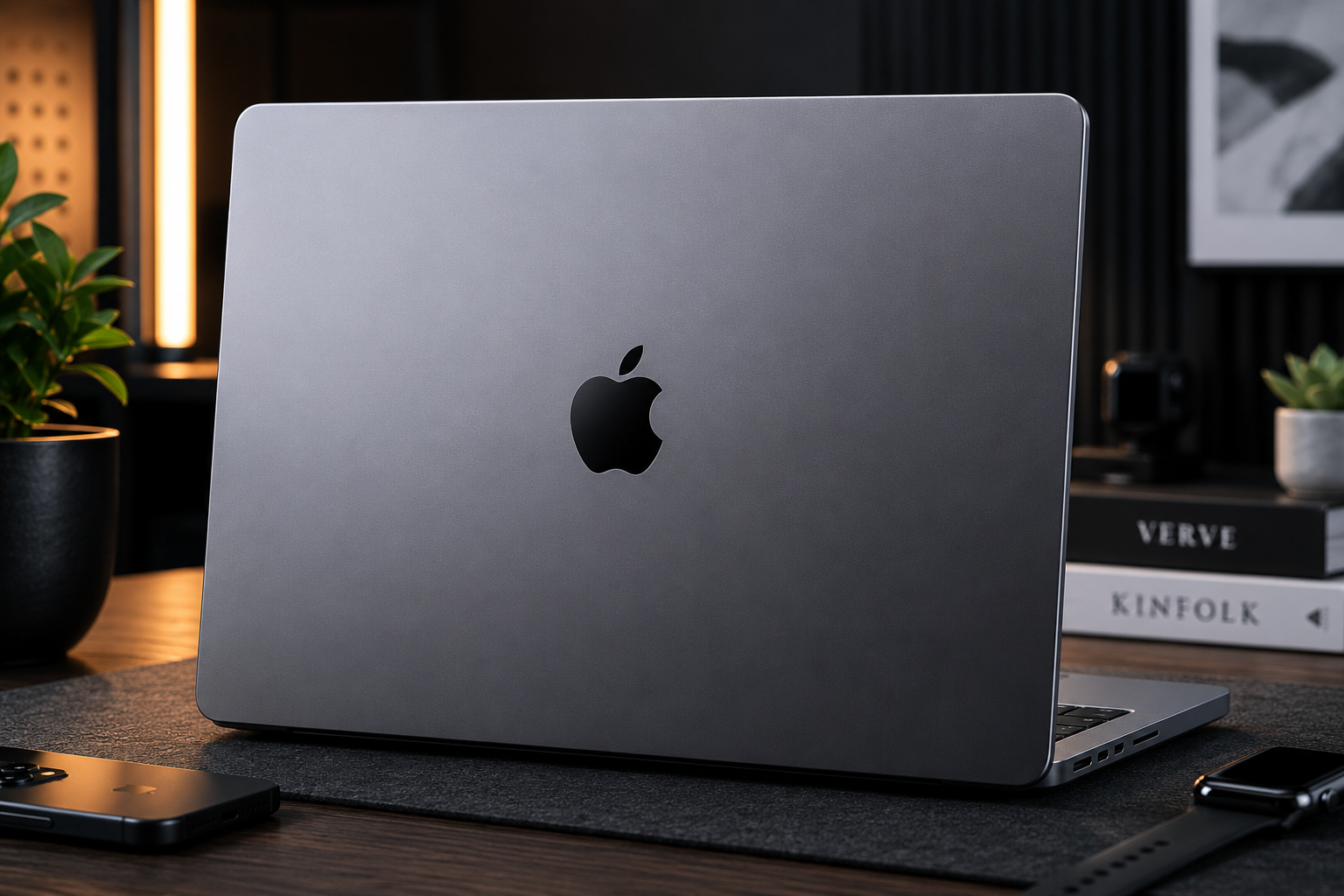
- MacBook Pro 14 M3 Pro Review (2026): Best Professional Laptop in India?
- MacBook Pro 14 M3 Pro Design — Precision CNC Aluminium
- Display — 14.2-inch Liquid Retina XDR with ProMotion 120Hz
- Performance — Apple M3 Pro: Supercharged for Pros
- Thermal Performance — Whisper Quiet Under Load
- Battery Life — Up to 18 Hours of Real Use
- Connectivity, Audio & Camera
- MacBook Pro 14 M3 Pro Full Specifications
- Pros & Cons
- Who Should Buy the MacBook Pro 14 M3 Pro?
- Final Verdict — Is the MacBook Pro 14 M3 Pro Worth Buying?
Laptops | Review | MacBook
MacBook Pro 14 M3 Pro Review (2026): Best Professional Laptop in India?
The MacBook Pro 14 M3 Pro review begins with a confession — this laptop makes every other laptop feel like it is trying too hard. The MacBook Pro 14-inch with the Apple M3 Pro chip is the most complete professional laptop available in India right now, and it is not particularly close. Powered by the Apple M3 Pro chip with up to 12-core CPU and 18-core GPU, a 14.2-inch Liquid Retina XDR display with ProMotion 120Hz and 1600 nits peak brightness, up to 36GB unified memory, up to 18 hours of battery life, and a port selection that includes three Thunderbolt 4 ports, HDMI, MagSafe 3, an SDXC card reader, and Wi-Fi 6E — the MacBook Pro 14 M3 Pro is the laptop that professionals across photography, videography, music production, software development, and design have been waiting for.
What makes the MacBook Pro 14 M3 Pro genuinely exceptional is not any single specification — it is the complete integration between Apple’s custom silicon, the operating system, and the hardware. The M3 Pro chip is built on TSMC’s cutting-edge 3-nanometre process — the same generation used in the most advanced smartphone chips. It delivers performance that outpaces most Windows laptops with traditional CPUs and discrete GPUs, while simultaneously maintaining near-silent operation — the MacBook Pro 14 M3 Pro runs completely fanless in everyday use and near-silent even under significant creative workloads. This combination of raw performance, silence, and all-day battery life is something no Windows laptop has achieved at any price.

MacBook Pro 14 M3 Pro Design — Precision CNC Aluminium
The MacBook Pro 14 M3 Pro continues Apple’s tradition of setting the standard for laptop industrial design. The all-aluminium unibody chassis — precision CNC machined from a single block of recycled aluminium — feels immediately and unmistakably premium. Every surface is perfectly flat, every edge is precisely chamfered, and every tolerance is held with a consistency that mass-market laptop manufacturers have struggled to replicate despite years of effort. Available in Space Black and Silver, both colourways are understated and professional. The Space Black finish is new to the M3 generation — a darker, more sophisticated tone that Apple achieves through a special anodisation process that also reduces fingerprint visibility significantly.
At just 1.6kg and 1.55cm thick, the MacBook Pro 14 M3 Pro is remarkably light and slim for a professional workstation-class laptop. It is lighter than most mid-range Windows laptops that offer a fraction of its performance, and thin enough to slip into any laptop sleeve or bag without the bulk associated with powerful machines. The compact footprint — smaller than many 14-inch Windows laptops despite carrying a 14.2-inch display — is a direct result of Apple’s InfinityEdge-inspired minimal bezel design. The slim bezels and the notch at the top of the display house the 1080p FaceTime HD camera while allowing the display to occupy a larger proportion of the lid’s surface area.

The Magic Keyboard with Touch ID continues to be the gold standard for laptop keyboards. The keys have a 1mm travel depth that delivers a precise, satisfying typing experience with excellent feedback — both for extended document writing and for code editing. Touch ID in the power button provides instant, reliable fingerprint authentication that makes macOS login and password autofill effortless. The Force Touch trackpad beneath the keyboard is the largest trackpad available on any 14-inch laptop and remains the most precise and versatile pointing device of any laptop at any price — multi-touch gesture support is comprehensive, and the haptic feedback simulates a physical click so convincingly that most users never realise the trackpad does not physically move.
Display — 14.2-inch Liquid Retina XDR with ProMotion 120Hz
The MacBook Pro 14 M3 Pro’s Liquid Retina XDR display is the finest laptop display available in any laptop at any price. It measures 14.2 inches diagonally with a resolution of 3024×1964 pixels at 254 pixels per inch — sharp enough that individual pixels are completely invisible even at close viewing distances. Text is rendered with a crispness and clarity that standard FHD displays cannot approach, fine details in photographs and video footage are resolved with complete fidelity, and the overall visual experience has a quality that is immediately distinguishable from lesser panels.
The display achieves 1600 nits peak brightness in HDR mode — one of the highest peak brightness values available on any laptop display. In practical terms, this means HDR content looks absolutely spectacular — highlights in video footage glow with genuine intensity, sunlit skies in photographs retain their brilliance, and dark scenes maintain shadow detail that lower-brightness displays simply cannot render. Sustained brightness at 1000 nits for standard HDR content ensures consistently impressive performance throughout the working day. For photographers and videographers who need to evaluate HDR footage on a calibrated display without an expensive external monitor, the MacBook Pro 14 M3 Pro’s built-in screen eliminates that need entirely.
The ProMotion adaptive refresh rate technology dynamically adjusts the display’s refresh rate between 1Hz and 120Hz depending on the content being displayed. Static content — a document, a PDF, a frozen image — displays at 1Hz, conserving battery. Scrolling text bumps up to a smooth 60Hz. Video plays at its native frame rate. Interactive UI and gaming run at a full 120Hz for maximum responsiveness. This intelligent adaptation is invisible to the user but has a profound impact on both the smoothness of the experience and the efficiency of the battery — a feature Windows laptops are only beginning to implement with less sophistication.
Colour accuracy is exceptional — P3 wide colour gamut coverage with factory calibration ensures the display is accurate straight from the box without requiring manual calibration. True Tone technology automatically adjusts the display’s white point to match the colour temperature of the ambient light, reducing eye strain during extended sessions in different lighting environments. For creative professionals whose work depends on colour accuracy — photographers, video colourists, graphic designers — this level of display performance eliminates the need for an expensive external reference monitor in most workflows.
Performance — Apple M3 Pro: Supercharged for Pros

The Apple M3 Pro chip is built on TSMC’s 3-nanometre process and features up to a 12-core CPU (6 performance cores + 6 efficiency cores) and an 18-core GPU. The performance cores deliver the fastest single-core performance of any laptop chip available — important for tasks like compiling code, rendering individual frames, or processing RAW files that cannot easily be parallelised. The efficiency cores handle background tasks and lighter workloads at minimal power consumption, contributing to the extraordinary battery life. Together, the 12 cores deliver multi-threaded performance that comfortably outperforms all AMD Ryzen and Intel Core laptop processors in sustained workloads.
The unified memory architecture is perhaps the most important aspect of the M3 Pro’s design that distinguishes it from conventional laptop architecture. In a traditional laptop, the CPU has its own RAM and the GPU has separate VRAM — data must be constantly transferred between these two separate memory pools, creating latency and bandwidth limitations. The M3 Pro’s unified memory sits on the same die as both the CPU and GPU, accessible at 150GB/s bandwidth by all processing units simultaneously. This means large video files, complex 3D scenes, and machine learning models can be loaded once and accessed by CPU, GPU, and Neural Engine without any data transfer overhead.
In real professional workflows, the performance advantage of the M3 Pro is measurable and meaningful. Final Cut Pro renders 4K ProRes footage in real time without proxy files and exports timelines faster than any Windows laptop. DaVinci Resolve colour grading sessions with full-resolution 6K footage run smoothly with all corrections applied. Logic Pro handles projects with hundreds of tracks and thousands of plugins without audio dropout. Xcode compiles iOS and macOS apps faster than any x86 machine regardless of price. Adobe Lightroom Classic exports large RAW file batches up to 40% faster than comparable Intel configurations. Blender GPU rendering via Apple’s Metal API delivers competitive results that close the gap with dedicated GPU machines significantly.
The 16-core Apple Neural Engine accelerates AI and machine learning tasks — powering features like Background Voice Isolation in FaceTime calls, Smart Noise Reduction in Logic Pro, Scene Understanding in Final Cut Pro, and the entire suite of on-device Apple Intelligence features in macOS. For developers building Core ML models or running inference on-device, the Neural Engine’s performance represents a massive advantage over CPU-only inference on competing platforms.
Hardware-accelerated AV1 decode and ProRes encode and decode engines are built directly into the M3 Pro chip. For video professionals working with ProRes footage from professional cinema cameras, the dedicated ProRes engine handles encoding and decoding at speeds that would require expensive PCIe accelerator cards on Windows workstations. AV1 decode acceleration enables smooth playback of high-bitrate AV1 streaming content from YouTube and Netflix without affecting CPU performance or battery life.
Thermal Performance — Whisper Quiet Under Load
The thermal performance of the MacBook Pro 14 M3 Pro is one of its most remarkable characteristics. In everyday use — web browsing, documents, email, video calls, light photo editing — the laptop operates in completely fanless mode. There is zero fan noise, zero fan vibration, and zero audible indication that a high-performance computer is running. Even under moderate sustained workloads, the thermal system remains near-silent. Only under the most demanding sustained loads — prolonged video exports, extended 3D rendering, or sustained peak CPU usage — do the fans engage, and even then the noise level is measured and significantly quieter than comparable performance from Windows gaming laptops. This silence is not achieved through throttling — the M3 Pro maintains its performance under sustained load with minimal degradation.
Battery Life — Up to 18 Hours of Real Use
Battery life is where the MacBook Pro 14 M3 Pro achieves something that Windows laptops have not managed despite years of trying — genuine all-day professional use on a single charge. Apple rates the 72.4Wh battery at up to 18 hours of Apple TV app movie playback and up to 12 hours of wireless web browsing. These figures are not marketing optimism — real-world professional use consistently confirms them. Most users working in a combination of web browsing, document editing, video calls, light photo editing, and code compilation report 10 to 14 hours of runtime before needing to charge. Under heavier creative workloads including video editing and rendering, battery life of 7 to 10 hours is typical — still more than double what comparable Windows laptops achieve under similar workloads.
The key to this exceptional endurance is the M3 Pro chip’s power architecture. The efficiency cores handle background and light tasks at extremely low power consumption, while the performance cores only engage fully when genuinely needed. The unified memory’s high bandwidth means data access is completed quickly, allowing the processor to return to low-power states faster. The ProMotion display’s adaptive refresh rate contributes by running at minimal power during static content. All of these optimisations compound to produce a battery life that makes the MacBook Pro 14 M3 Pro the only professional laptop that most users genuinely do not need to charge during a full working day.
The laptop supports fast charging via the included 96W USB-C Power Adapter — charging from 0% to 50% in approximately 30 minutes. MagSafe 3 charging is also supported with up to 140W MagSafe charging for the fastest possible top-up speeds. The magnetic MagSafe connector snaps into place satisfyingly and disconnects safely if the cable is accidentally pulled, preventing the laptop from being dragged off a desk — a practical safety feature that professionals working in busy environments genuinely appreciate.
Connectivity, Audio & Camera

The port selection on the MacBook Pro 14 M3 Pro is the most comprehensive Apple has offered since the controversial dongle era of the 2016–2019 MacBook Pros — and it reflects a deep understanding of what professional users actually need. The left side provides MagSafe 3 for dedicated magnetic charging, two Thunderbolt 4 / USB 4 ports (each supporting 40Gbps data, DisplayPort, and 140W charging), and a 3.5mm headphone jack with high-impedance headphone support for audiophile-grade headphones. The right side adds a third Thunderbolt 4 port, an HDMI 2.1 port for direct external display connection, and an SDXC card reader.
The presence of both HDMI and an SD card reader directly on the laptop eliminates the need for dongles or hubs in most professional workflows. Photographers can import cards directly. Videographers can connect to a reference monitor directly. Developers can charge while connecting external displays simultaneously through Thunderbolt. The M3 Pro configuration supports up to two external displays simultaneously — a significant advantage over the base M3 MacBook Pro which supports only one external display when the lid is open.
Wireless connectivity is provided by Wi-Fi 6E (802.11ax) and Bluetooth 5.3 — the latest standards for both wireless networking and peripheral connectivity. Wi-Fi 6E’s 6GHz band operation delivers lower latency and higher throughput in congested wireless environments, which is particularly valuable for creative professionals who transfer large files frequently over their network.
The audio system is genuinely exceptional for a laptop. The six-speaker sound system with Spatial Audio produces a soundstage and bass response that competes favourably with small Bluetooth speakers. Force-cancelling woofers eliminate vibration while maximising low-frequency output from the compact enclosure. Spatial Audio with Dolby Atmos creates a three-dimensional listening experience in compatible content. For music producers who need reference-quality audio from their laptop speakers, video editors who review sound design work on the go, and anyone who values high-quality media consumption, the MacBook Pro 14’s audio system sets a standard that no Windows laptop has matched.
The 1080p FaceTime HD camera is one of the best webcams built into any laptop — the M3 Pro’s image signal processor applies computational photography techniques including noise reduction and tone mapping to produce video call quality that is noticeably superior to the typical 720p webcam experience. The studio-quality three-microphone array with directional beamforming captures voice clearly while rejecting ambient noise — making video calls from noisy environments more professional-sounding than with any competing laptop microphone system.
MacBook Pro 14 M3 Pro Full Specifications
| Specification | Details |
| Model | Apple MacBook Pro 14-inch (M3 Pro, 2023) |
| Display | 14.2″ Liquid Retina XDR, 3024×1964, ProMotion 120Hz, 1600 nits peak, P3 wide colour, True Tone |
| Chip | Apple M3 Pro (3nm process) |
| CPU | Up to 12-core (6 performance + 6 efficiency cores) |
| GPU | Up to 18-core GPU (hardware ray tracing, AV1 decode, ProRes engines) |
| Neural Engine | 16-core Neural Engine |
| Unified Memory | 18GB or 36GB LPDDR5 (150GB/s bandwidth, soldered) |
| Storage | 512GB / 1TB / 2TB / 4TB Apple SSD (PCIe Gen 4) |
| Battery | 72.4Wh, up to 18 hrs video playback, 96W fast charge (50% in 30 min) |
| Ports (Left) | MagSafe 3, 2x Thunderbolt 4 / USB 4 (40Gbps, DP, 140W PD), 3.5mm Jack |
| Ports (Right) | Thunderbolt 4 / USB 4, HDMI 2.1, SDXC card reader |
| Wireless | Wi-Fi 6E (802.11ax), Bluetooth 5.3 |
| Keyboard | Magic Keyboard with Touch ID, backlit, 1mm key travel |
| Trackpad | Force Touch trackpad (glass surface, haptic feedback) |
| Camera | 1080p FaceTime HD, studio-quality 3-mic array |
| Audio | Six-speaker system with Spatial Audio, Dolby Atmos, force-cancelling woofers |
| OS | macOS Sonoma (upgradeable to macOS Sequoia) |
| Dimensions | 31.26 × 22.12 × 1.55cm |
| Weight | 1.61 kg |
| Colours | Space Black, Silver |
| Price in India | ₹1,89,900 (18GB / 512GB) — ₹2,09,900 (18GB / 1TB) |
Pros & Cons
|
✅ Pros
|
❌ Cons
|
Who Should Buy the MacBook Pro 14 M3 Pro?
Buy the MacBook Pro 14 M3 Pro if you are a professional creative who earns from their work. For photographers, videographers, music producers, motion designers, architects, and developers, this laptop pays for itself through the productivity gains it enables. Faster exports mean more projects completed. Silence during work means better focus. All-day battery means freedom from power outlets. The display accuracy means confidence in colour-critical decisions.
Buy this laptop if you are a developer — particularly iOS, macOS, or cross-platform developers. Xcode runs faster on M3 Pro than on any other platform. The unified memory handles large Xcode workspaces, simulator instances, and multiple build targets simultaneously without slowdown. The battery life means you can develop for extended periods away from a power outlet.
Consider alternatives if gaming is your primary use case. The MacBook Pro 14 M3 Pro runs an increasing number of games natively, but the Windows gaming library is far larger and the GPU in gaming laptops like the ASUS TUF Gaming A15 or HP Victus 16 delivers better frame rates in most titles at a fraction of the price.
📄 Also Read: Top 10 Laptops for Engineering Students in 2026 — Complete Buying Guide — Wondering which laptop is best for your college needs and budget? We compare options from ₹40,000 to ₹2 lakh and help you decide.
Final Verdict — Is the MacBook Pro 14 M3 Pro Worth Buying?
The MacBook Pro 14 M3 Pro is the best professional laptop in the world right now. It delivers the fastest sustained CPU performance of any laptop, the finest laptop display available at any price, the longest battery life of any professional laptop, near-complete silence during everyday use, the best keyboard and trackpad of any laptop, and the most comprehensive port selection of any thin-and-light premium laptop — all in a 1.61kg package that fits comfortably in any bag.
Yes, it costs ₹1.89 lakh starting. Yes, the memory is soldered and must be chosen correctly at purchase. Yes, the gaming library on macOS is smaller than Windows. But for every professional who depends on their laptop to earn a living — whether through video production, photography, music, design, or development — the MacBook Pro 14 M3 Pro is the most capable, most reliable, and most efficient tool available. Built for pros. Ready for anything.
Our Rating
9.5 / 10
The best professional laptop in the world — built for pros, ready for anything
🛒 Buy MacBook Pro 14 M3 Pro on Amazon
Also check official specs at Apple India Official Website
Affiliate Disclosure: This post contains affiliate links. If you purchase through these links, we may earn a small commission at no extra cost to you.
Content Disclosure: This content was produced with AI assistance and human review to ensure accuracy, fairness, and helpfulness for our readers.