
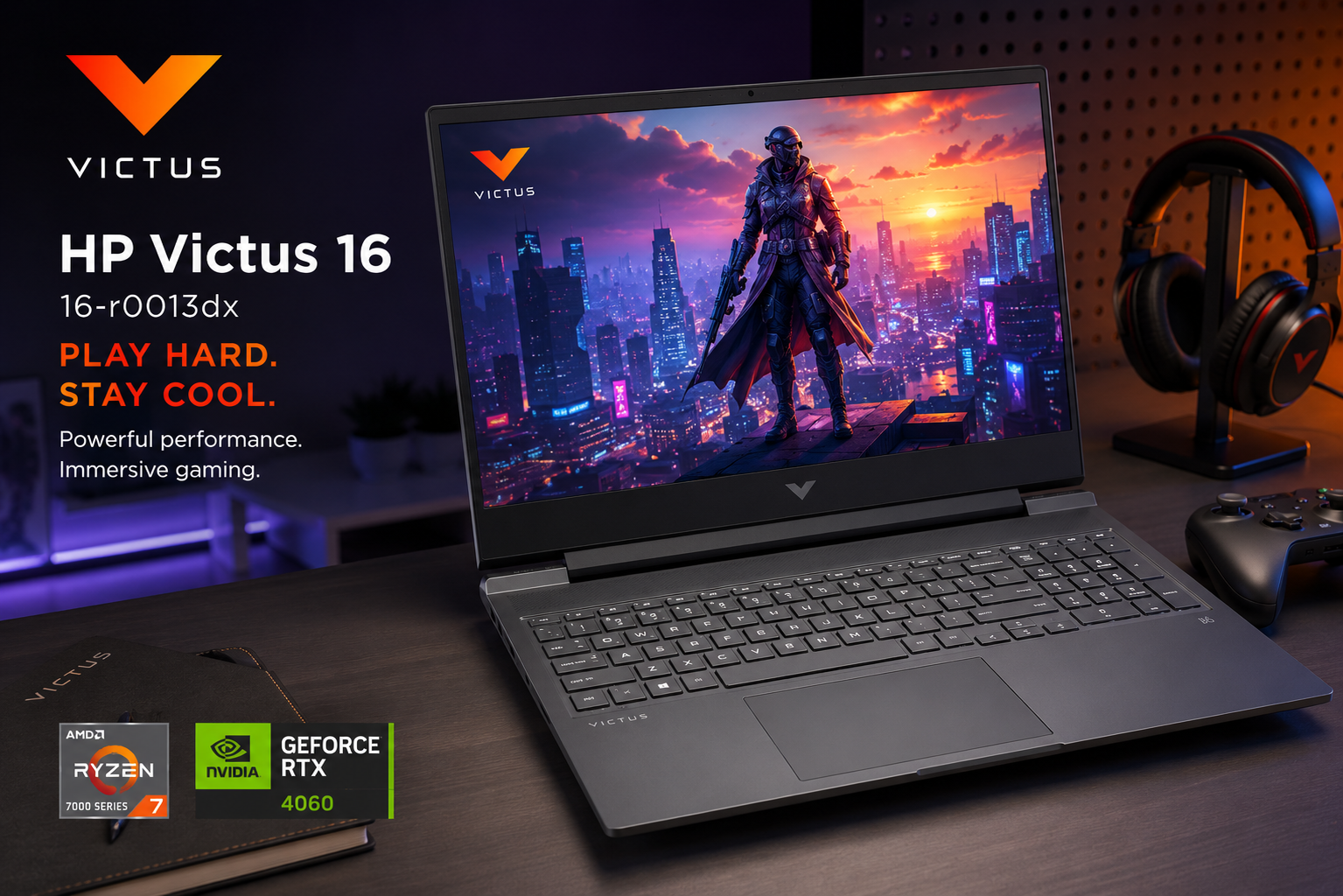
- HP Victus 16 r0013dx Review (2026): Best RTX 4060 Gaming Laptop Under ₹1 Lakh?
- HP Victus 16 r0013dx Design & Build Quality
- Display — 16.1-inch FHD IPS 144Hz Anti-Glare
- Performance — AMD Ryzen 7 7840HS + NVIDIA RTX 4060 8GB
- Advanced Cooling System — Dual Fans and Wide Rear Vents
- Keyboard, Audio, Ports & Connectivity
- OMEN Gaming Hub — Performance at Your Fingertips
- Battery Life — Impressive for a Gaming Laptop
- HP Victus 16 r0013dx Full Specifications
- Pros & Cons
- Who Should Buy the HP Victus 16 r0013dx?
- Final Verdict — Is the HP Victus 16 r0013dx Worth Buying?
Laptops | Review | HP Victus
HP Victus 16 r0013dx Review (2026): Best RTX 4060 Gaming Laptop Under ₹1 Lakh?
The HP Victus 16 r0013dx review begins with a straightforward observation — HP has quietly built one of the best-value gaming laptops available in India, and most people have not noticed yet. The Victus 16 r0013dx arrives with an AMD Ryzen 7 7840HS processor, an NVIDIA GeForce RTX 4060 Laptop GPU with 8GB GDDR6, a 16.1-inch FHD 144Hz IPS anti-glare display, 16GB DDR5-5600MHz RAM, a 1TB PCIe Gen4 NVMe M.2 SSD, Wi-Fi 6E, dual Bang & Olufsen speakers, and the powerful OMEN Gaming Hub software — all in a clean, professional chassis that looks equally at home in a gaming setup and a college classroom.
What truly sets the HP Victus 16 r0013dx apart from its competition is the RTX 4060 with 8GB GDDR6 VRAM. At a price point where most competitors offer the RTX 4050 with 6GB VRAM, HP has stepped up with a significantly more powerful GPU — one that handles modern AAA titles at high settings, supports DLSS 3 with Frame Generation, and delivers hardware ray tracing performance that the 4050 simply cannot match. For buyers who want the most GPU performance possible without crossing into ₹1.5 lakh territory, the Victus 16 r0013dx is an exceptional proposition.

HP Victus 16 r0013dx Design & Build Quality
One of the most deliberate and successful design decisions HP made with the Victus 16 r0013dx is choosing not to make it look like a gaming laptop. Where competitors opt for sharp angles, aggressive RGB strips, and chassis designs that shout “gamer” from across the room, the Victus 16 r0013dx takes a different path entirely. The chassis is finished in Mica Silver — a clean, textured plastic that looks professional and understated. The only gaming visual cue is the subtle Victus logo on the lid, which in most lighting conditions appears almost invisible.
This design philosophy has a very practical benefit — you can carry the HP Victus 16 r0013dx to a college lecture, a job interview, a coffee shop, or a client meeting without it looking out of place. Professionals who game after work hours, students who need their laptop to serve double duty, and anyone who simply prefers a mature aesthetic over gamer styling will immediately appreciate this restraint. The build quality is solid — the chassis does not flex noticeably during everyday use, the hinge holds the display firmly at chosen angles, and the overall construction feels robust for long-term daily use.
At 2.31kg and approximately 22.9mm thick, the Victus 16 r0013dx sits in the typical weight and size range for a 16-inch gaming laptop with a full-wattage GPU. It is not the lightest machine on the market, but it is entirely comfortable to carry in a backpack for daily commuting. The bottom panel features wide rear ventilation grilles — part of HP’s Advanced Cooling System with dual fans and wide rear vents — that provide excellent airflow during sustained gaming sessions. The ventilation design ensures heat exits efficiently from the rear rather than blowing sideways onto your hands or desk surface.

Display — 16.1-inch FHD IPS 144Hz Anti-Glare
The HP Victus 16 r0013dx features a 16.1-inch Full HD IPS display at 1920×1080 resolution with a 144Hz refresh rate, 7ms response time, and 300 nits peak brightness. The larger 16.1-inch panel compared to the standard 15.6-inch found in most competing laptops is an immediately noticeable advantage — games feel more immersive, windows feel less cramped, and content consumption is more comfortable during extended sessions.
The 144Hz refresh rate combined with the 7ms response time makes the Victus 16 r0013dx display particularly well-suited for competitive gaming. Fast-moving content — whether it is a firefight in Valorant, a high-speed chase in GTA V, or a frame-intense battle in BGMI — appears noticeably sharper and more fluid compared to standard 60Hz displays. The RTX 4060 in this laptop can push above 100fps in most popular esports and competitive titles, meaning the 144Hz panel is genuinely being utilised rather than sitting idle. For competitive gamers who play titles like CS2, Valorant, and Rainbow Six Siege, the combination of a fast GPU and a 144Hz display is exactly what you need.
The IPS panel technology delivers wide viewing angles with consistent colour and brightness from any angle — an advantage during co-operative gaming sessions when multiple people gather around the screen. The anti-glare coating manages indoor reflections effectively, reducing eye strain during long gaming or work sessions. At 300 nits brightness the display is comfortable for indoor use, though direct sunlight remains somewhat challenging — the matte coating helps considerably here compared to glossy alternatives.
Performance — AMD Ryzen 7 7840HS + NVIDIA RTX 4060 8GB

The AMD Ryzen 7 7840HS is one of AMD’s most capable laptop processors — built on the Zen 4 architecture with 8 cores and 16 threads, a maximum boost clock of 5.1GHz, and an integrated Radeon 780M GPU that is significantly more capable than previous AMD integrated graphics. The 7840HS is a Phoenix architecture chip that delivers exceptional single-core performance for gaming alongside strong multi-core performance for content creation and multitasking. Crucially, it uses AMD’s newest Zen 4 cores rather than the older Zen 3+ cores found in the 7735HS used by many competing laptops — a meaningful real-world performance advantage.
The NVIDIA GeForce RTX 4060 Laptop GPU with 8GB GDDR6 is the standout specification of the HP Victus 16 r0013dx. The RTX 4060 is based on NVIDIA’s Ada Lovelace architecture with 3072 CUDA cores, fourth-generation Tensor Cores for AI-powered DLSS, and third-generation RT Cores for hardware ray tracing. The 8GB GDDR6 VRAM gives this laptop a significant advantage over RTX 4050 competitors — newer games are increasingly demanding more than 6GB of VRAM at high texture settings, and having 8GB ensures the laptop remains capable for a longer period before struggling with upcoming titles.
Here is what to expect from the HP Victus 16 r0013dx in real-world 1080p gaming across popular titles:
- Valorant: 200fps+ on High settings — fully saturates the 144Hz display
- CS2: 150–200fps on High settings — very competitive experience
- BGMI / PUBG: 90fps on Ultra settings — smooth and responsive
- GTA V: 100–120fps on Very High settings — excellent experience
- Cyberpunk 2077: 80fps+ on High settings with DLSS — exceptional for this price
- Far Cry 6: 77fps on High settings — smooth open-world performance
- Assassin’s Creed Mirage: 80–90fps on High settings — very comfortable
- FIFA / EA FC 25: 120fps+ on High settings — fluid and responsive
- Spider-Man Remastered: 60fps+ on High settings with ray tracing
- Red Dead Redemption 2: 65–75fps on High settings — enjoyable open world
The RTX 4060’s DLSS 3 with Frame Generation is a game-changing feature at this price point. DLSS 3 uses AI to generate additional frames between rendered frames — in compatible titles like Cyberpunk 2077, the Witcher 3 Next-Gen, and Dying Light 2, this can effectively double the perceived frame rate with minimal visual quality loss. A game that runs at 60fps with ray tracing enabled can be boosted to 120fps with DLSS 3 Frame Generation — delivering both visual quality and smooth gameplay simultaneously. No competing laptop with the RTX 4050 offers this capability.
The 16GB DDR5-5600MHz RAM is the fastest memory standard available in laptop computing — DDR5-5600 delivers significantly higher bandwidth than the DDR5-4800 found in most competing laptops at this price. For gaming, this means the CPU and GPU can exchange data faster, reducing micro-stutters in CPU-bound scenarios. For multitasking and content creation, the extra bandwidth accelerates large file operations and multi-application workflows. The 1TB PCIe Gen4 NVMe M.2 SSD delivers fast sequential speeds that make Windows boot in under 15 seconds and large games load in well under a minute.
Advanced Cooling System — Dual Fans and Wide Rear Vents
HP has equipped the Victus 16 r0013dx with an Advanced Cooling System featuring dual fans and wide rear ventilation. The rear-exhaust design is particularly effective — heat exits through the back of the laptop rather than blowing sideways, which keeps the keyboard area cooler during extended gaming and prevents hot air from blowing directly onto your gaming mouse or desk accessories. Real-world thermal testing shows CPU temperatures maxing at approximately 85°C and GPU temperatures staying around 75°C under sustained gaming load — both within safe operational limits that allow maximum performance without throttling. Fan noise peaks at approximately 48dB under full load, which is manageable and well within the typical range for gaming laptops at this performance level.
Keyboard, Audio, Ports & Connectivity

The keyboard on the HP Victus 16 r0013dx is a backlit full-size keyboard with comfortable key spacing and travel depth that makes both extended typing sessions and intense gaming comfortable. The backlight can be adjusted for brightness — keeping you in control whether you are gaming in a dark room or working in a bright environment. The keys have a satisfying tactile response without being excessively loud, making the Victus 16 a viable option for use in shared workspaces and libraries.
Audio quality is a genuine differentiator for the HP Victus 16 r0013dx. The dual speakers are tuned by Bang & Olufsen — HP’s premium audio partner — and the difference compared to generic laptop speakers is immediately noticeable. Audio is clearer at high volumes, bass response is better controlled, and the stereo separation creates a more immersive soundstage for games, music, and films. HP Audio Boost software allows further customisation of the sound profile for different use cases.
Port selection on the HP Victus 16 r0013dx is comprehensive and covers all the bases for gamers and professionals alike. The left side carries an AC Smart Pin charging port, a USB Type-C at 5Gbps (data only), a USB Type-A at 5Gbps, and a headphone/microphone combo jack. The right side provides another USB Type-A at 5Gbps, an HDMI 2.1 port for external 4K displays, a RJ-45 Ethernet (10/100/1000) port for wired internet, and a power indicator LED. The dedicated Gigabit Ethernet port is particularly valuable for competitive online gaming where wired connections provide lower latency and more stable connections than Wi-Fi.
Wireless connectivity is provided by Wi-Fi 6E (802.11ax) — the latest wireless standard operating on the 6GHz band for faster speeds and significantly lower latency in congested network environments. This is especially beneficial for online gaming in hostels, apartments, or dense urban areas where many Wi-Fi networks compete for bandwidth. Bluetooth 5.3 handles wireless peripherals including controllers, headsets, and keyboards with stable, low-latency connections.
OMEN Gaming Hub — Performance at Your Fingertips
The HP Victus 16 r0013dx ships with the OMEN Gaming Hub — HP’s powerful gaming control software inherited from their premium OMEN gaming laptop line. This is not a basic utility — it is a comprehensive performance management platform that gives you granular control over every aspect of the laptop’s gaming performance. Four performance modes are available — ECO, Balanced, Performance, and Custom — and switching between them is instant via the software dashboard.
The OMEN Gaming Hub displays real-time CPU and GPU utilisation, temperature monitoring, fan speed control, and frame rate data on a single clean interface. You can set custom fan curves to prioritise silence during productivity work and maximum cooling during gaming sessions. The Systemmance Control feature allows automatic mode switching based on detected activity — the laptop intelligently ramps up performance when gaming is detected and scales back when you switch to browsing or documents. For buyers coming from competing laptops with basic or absent control software, the OMEN Gaming Hub is a significant practical advantage.
Battery Life — Impressive for a Gaming Laptop
The HP Victus 16 r0013dx is powered by a 70Wh battery — a capacity that, combined with the power efficiency of the AMD Ryzen 7 7840HS processor, delivers genuinely impressive battery life for a gaming laptop. In real-world mixed usage — web browsing, document work, light video streaming, and productivity applications with the GPU in power-saving mode — most users report approximately 6 to 7 hours of runtime. This is exceptional for the gaming laptop category, where 3 to 4 hours is the typical expectation.
The AMD Ryzen 7 7840HS’s power efficiency architecture is the key reason for this impressive battery endurance. Unlike Intel processors that maintain higher idle power consumption, the Ryzen 7 7840HS aggressively scales down clock speeds and voltage during low-demand tasks, dramatically extending battery life when the discrete GPU is not active. For students and professionals who need their laptop to last through a full day of classes or meetings before gaming in the evening, the Victus 16 r0013dx offers a level of battery flexibility that most gaming laptops simply cannot match.
During active gaming with the RTX 4060 running at full performance, battery life drops to approximately 1.5 to 2 hours — which is standard for any gaming laptop running a full-wattage GPU. Plugging in the charger during gaming sessions is always recommended for maximum performance, as the GPU’s power limit is reduced on battery to preserve battery life.
HP Victus 16 r0013dx Full Specifications
| Specification | Details |
| Model | HP Victus 16 16-r0013dx |
| Display | 16.1″ FHD IPS, 1920×1080, 144Hz, 7ms, 300 nits, Anti-glare |
| Processor | AMD Ryzen 7 7840HS (Zen 4, 8 cores / 16 threads, up to 5.1GHz) |
| GPU | NVIDIA GeForce RTX 4060 Laptop GPU (8GB GDDR6, DLSS 3) |
| RAM | 16GB DDR5-5600MHz (upgradeable) |
| Storage | 1TB PCIe Gen4 NVMe M.2 SSD |
| Battery | 70Wh, ~6–7 hrs productivity, ~1.5–2 hrs gaming |
| Ports (Left) | AC Smart Pin, USB Type-C 5Gbps, USB Type-A 5Gbps, Headphone/Mic Jack |
| Ports (Right) | USB Type-A 5Gbps, HDMI 2.1, RJ-45 Ethernet (10/100/1000), Power Indicator |
| Wireless | Wi-Fi 6E (802.11ax), Bluetooth 5.3 |
| Keyboard | Backlit full-size keyboard |
| Audio | Dual speakers tuned by Bang & Olufsen, HP Audio Boost |
| Cooling | Advanced Cooling — dual fans, wide rear vents |
| Software | OMEN Gaming Hub (ECO / Balanced / Performance / Custom modes) |
| OS | Windows 11 Home |
| Weight | 2.31 kg |
| Dimensions | Approx. 366 × 259 × 22.9mm |
| Colour | Mica Silver |
| Price in India | ₹85,000 – ₹95,000 (varies by configuration) |
Pros & Cons
|
✅ Pros
|
❌ Cons
|
Who Should Buy the HP Victus 16 r0013dx?
Buy the HP Victus 16 r0013dx if you want maximum GPU performance under ₹1 lakh. The RTX 4060 with 8GB GDDR6 and DLSS 3 support is significantly more powerful than the RTX 4050 with 6GB offered by most competing laptops at the same price. If gaming performance is your primary criteria, the Victus 16 r0013dx gives you more GPU than any alternative at this price.
Buy this laptop if you value battery life alongside gaming performance. The 6–7 hours of real-world battery life is genuinely rare for a gaming laptop with an RTX 4060. Students who game at night but need battery life during daytime classes will find this balance particularly valuable.
Buy this laptop if you want a gaming machine that does not look like one. The clean Mica Silver design, the professional chassis, and the absence of aggressive gamer styling make the Victus 16 r0013dx appropriate for professional environments, campus life, and anywhere you want your laptop to look mature and understated.
📄 Also Read: Top 10 Laptops for Engineering Students in 2026 — Complete Buying Guide — Looking for the best laptop for your college needs? We compare the HP Victus 16 against all the top options across every budget.
Final Verdict — Is the HP Victus 16 r0013dx Worth Buying?
The HP Victus 16 r0013dx is a genuinely exceptional gaming laptop that punches well above its price point. The combination of the AMD Ryzen 7 7840HS, RTX 4060 with 8GB GDDR6, DDR5-5600MHz RAM, PCIe Gen4 NVMe SSD, Wi-Fi 6E, Bang & Olufsen audio, 144Hz display, OMEN Gaming Hub, and a 6–7 hour battery life is a hardware specification list that no competing laptop at this price matches comprehensively.
The touchpad placement and basic webcam are the two genuine weaknesses, but neither affects gaming or productivity performance. For buyers who want the best possible gaming experience under ₹1 lakh — with the most powerful GPU, the most advanced wireless standard, the best audio, and a battery life that genuinely lasts through a workday — the HP Victus 16 r0013dx is the clearest recommendation in its price category. Play Hard. Stay Cool.
Our Rating
9.0 / 10
Best gaming laptop under ₹1 lakh — RTX 4060 8GB at this price is unbeatable
🛒 Buy HP Victus 16 r0013dx on Amazon
Also check official specs at HP India Official Website
Affiliate Disclosure: This post contains affiliate links. If you purchase through these links, we may earn a small commission at no extra cost to you.
Content Disclosure: This content was produced with AI assistance and human review to ensure accuracy, fairness, and helpfulness for our readers.