
- 5 Best Laptops for Video Editing in India (2026) — Complete Buying Guide
- How We Selected These Video Editing Laptops
- Quick Comparison Table
- 1. Apple MacBook Pro 14 M3 Pro — Best Overall for Professional Video Editing
- 🏆 Apple MacBook Pro 14 M3 Pro
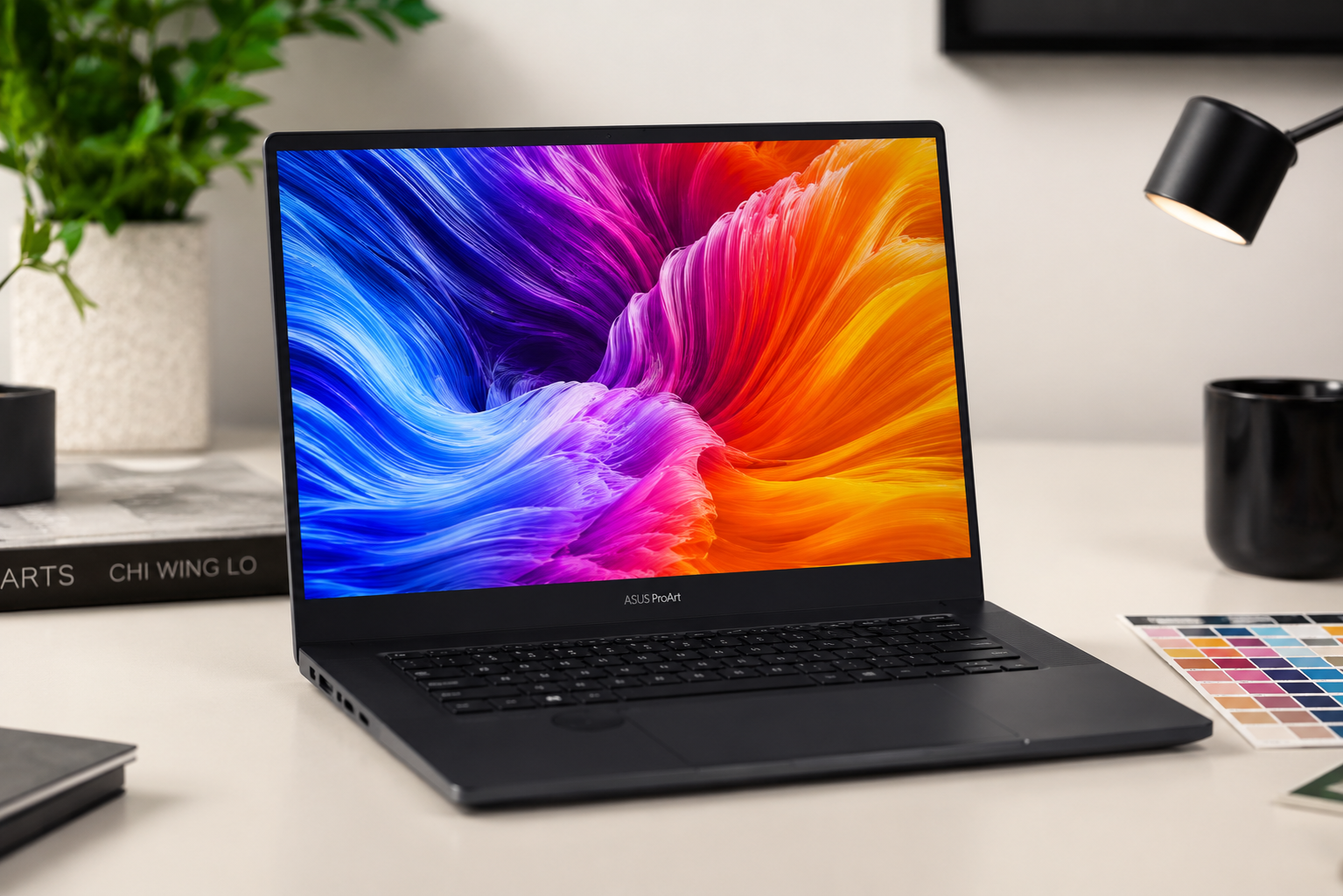
- 2. ASUS ProArt P16 — Best Windows Laptop for Creative Professionals
- 🏆 ASUS ProArt P16
- 3. Dell XPS 15 9530 — Best Premium Ultrabook for Creators
- 🏆 Dell XPS 15 9530
- 4. Lenovo IdeaPad Slim 5 Gen 10 — Best Budget Laptop for Light Video Editing
- 🏆 Lenovo IdeaPad Slim 5 Gen 10
- 5. MSI Prestige 14 AI Evo — Best Portable AI-Powered Video Editing
- 🏆 MSI Prestige 14 AI Evo
- How to Choose the Right Video Editing Laptop
- Budget Breakdown: Best Video Editing Laptops by Price Range
- Frequently Asked Questions
Buying Guide | 2026
5 Best Laptops for Video Editing in India (2026) — Complete Buying Guide
Best laptops for video editing in India have evolved dramatically in 2026, with powerful AI-accelerated processors, color-accurate OLED displays, and dedicated GPUs now available across a wide price spectrum. Whether you are a professional filmmaker working on 4K timelines, a YouTuber creating daily content, or a student learning the craft, the right laptop can dramatically improve your editing workflow and output quality.
According to manufacturer specifications and expert reviews, buyers looking for a reliable video editing laptop in India will find options ranging from budget-friendly ultrabooks with AI-enhanced performance to desktop-replacement workstations with 4K OLED touchscreens and professional-grade GPUs. This guide covers the top 5 picks for 2026, based on official specs, real-world editing performance, and current India pricing.

How We Selected These Video Editing Laptops
Our selection criteria for the best video editing laptops focused on six essential pillars: display quality with color accuracy (100% sRGB or DCI-P3 coverage, Delta E < 2), dedicated GPU or powerful integrated graphics for timeline scrubbing and export acceleration, processor performance for multi-core rendering, RAM capacity for handling large timelines (16GB minimum, 24GB+ preferred), fast SSD storage for 4K footage, and thermal design for sustained performance during long renders.
We also evaluated AI acceleration capabilities — NPUs in Intel Core Ultra and AMD Ryzen AI processors dramatically speed up AI-powered features in Adobe Premiere Pro, DaVinci Resolve, and CapCut. Battery life, port selection (especially SD card readers and Thunderbolt 4), and build quality were also considered. Price-to-performance ratio ensures every laptop listed delivers genuine value for video editors at its respective price point.
All specifications and prices were verified from official manufacturer websites, Amazon India, and Flipkart as of July 2026. Some models may see discounts during festive sales and promotional periods.
Quick Comparison Table
| Product | Key Specs | Price |
| Apple MacBook Pro 14 M3 Pro | M3 Pro (11C CPU/14C GPU) | 18GB RAM | 14.2″ XDR 120Hz | 18hrs | ₹1,89,900 |
| ASUS ProArt P16 | Ryzen AI 9 HX 370 | RTX 5080 16GB | 16″ 4K OLED 120Hz | 90WHr | ₹3,59,990 |
| Dell XPS 15 9530 | i7-13700H | RTX 4050 6GB | 15.6″ 3.5K OLED | 86WHr | 1.86kg | ₹2,53,000 – ₹2,60,000 |
| Lenovo IdeaPad Slim 5 Gen 10 | Ryzen AI 7 350 | Radeon 860M | 14″ WUXGA OLED 120Hz | 24GB | 1.15kg | ₹87,990 |
| MSI Prestige 14 AI Evo | Core Ultra 7 155H | Intel Arc | 14″ WUXGA 144Hz | 75WHr | 1.7kg | ₹89,990 |
1. Apple MacBook Pro 14 M3 Pro — Best Overall for Professional Video Editing
🏆 Apple MacBook Pro 14 M3 Pro
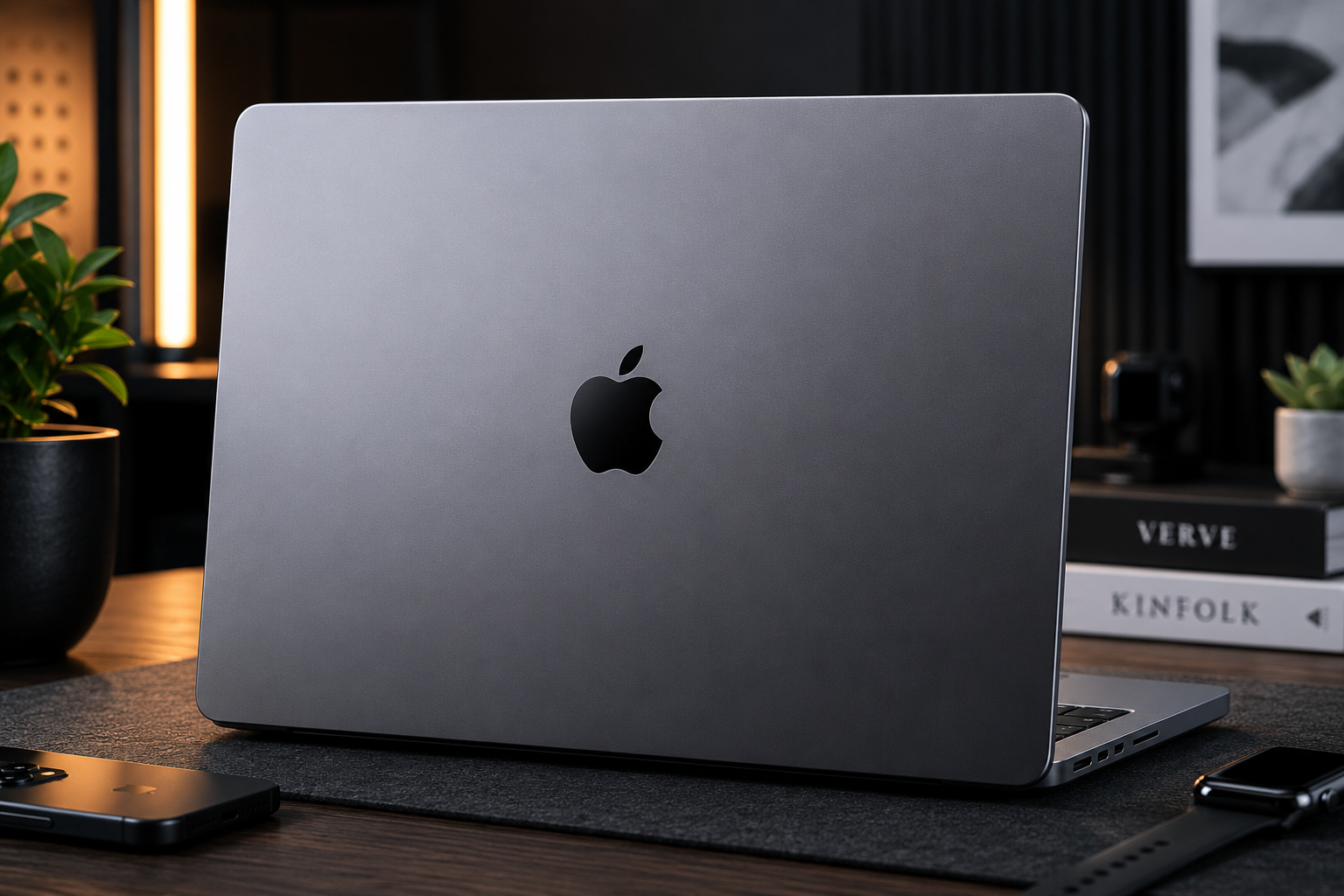
The Apple MacBook Pro 14 M3 Pro remains the gold standard for professional video editing in India, offering a level of performance and efficiency that Windows laptops struggle to match at any price point. According to manufacturer specifications, the M3 Pro chip with its 11-core CPU and 14-core GPU is built on a 3nm process, delivering exceptional performance-per-watt that translates to up to 18 hours of video playback on a single charge. For video editors working on 4K and even 8K timelines in Final Cut Pro, DaVinci Resolve, or Adobe Premiere Pro, the MacBook Pro handles multi-track editing, color grading, and effects rendering with remarkable smoothness.
The 14.2-inch Liquid Retina XDR display is a critical asset for video editors, offering 3024×1964 resolution, 120Hz ProMotion refresh rate, and a peak brightness of 1600 nits in HDR content. This means you can accurately judge HDR footage directly on the laptop screen without needing an external reference monitor — a feature that saves both money and desk space. The display covers the P3 wide color gamut and features True Tone technology, ensuring color accuracy that meets professional broadcast standards.
The 18GB of unified memory architecture allows the CPU and GPU to access the same memory pool without data copying overhead, which significantly accelerates video rendering and export times. The three Thunderbolt 4 ports provide 40Gbps bandwidth each, making external SSDs and high-resolution monitors feel like native storage and displays. The built-in SDXC card slot is a thoughtful addition that photographers and videographers will appreciate for quick footage ingestion. The six-speaker sound system with spatial audio provides surprisingly good audio monitoring for rough cuts. Buyers looking for the most reliable, efficient, and color-accurate laptop for professional video editing will find this device appears to offer unmatched value despite its premium price.
Key Specs: Apple M3 Pro (11-core CPU, 14-core GPU) | 14.2″ Liquid Retina XDR, 3024×1964, 120Hz, 1600 nits peak HDR | 18GB Unified Memory + 512GB SSD (Configurable upto 36GB/4TB) | Up to 18 hours video playback | 70WHr | ₹1,89,900
2. ASUS ProArt P16 — Best Windows Laptop for Creative Professionals
🏆 ASUS ProArt P16

The ASUS ProArt P16 is the most powerful Windows creator laptop available in India, designed specifically for professionals who demand desktop-grade performance in a portable form factor. According to manufacturer claims, the AMD Ryzen AI 9 HX 370 processor with its 50 TOPS NPU and up to NVIDIA GeForce RTX 5090 graphics with 24GB GDDR7 VRAM handles 8K video editing, 3D rendering, and complex visual effects with ease. The 16-inch 4K Lumina Pro OLED touchscreen with Delta E < 1 color accuracy and Pantone validation ensures that what you see on screen is exactly what your audience will see — critical for professional color grading and finishing work.
The 4K resolution at 3840×2400 pixels provides ample screen real estate for timeline editing, with the 16:10 aspect ratio offering more vertical space than standard 16:9 displays. The 120Hz refresh rate and 0.2ms response time make scrubbing through footage feel incredibly responsive. With a peak brightness of 1600 nits, the display remains clearly visible even when working outdoors or in brightly lit studios. The touchscreen and stylus support add flexibility for precise masking, rotoscoping, and annotation work.
The 64GB of LPDDR5X RAM running at 7500MHz ensures seamless multitasking across Premiere Pro, After Effects, Photoshop, and Blender simultaneously. The 2TB PCIe 4.0 SSD provides lightning-fast access to large video projects, while the additional empty SSD slot allows for storage expansion without replacing the existing drive. The ASUS DialPad provides intuitive physical controls for timeline scrubbing, brush size adjustment, and volume control in creative applications. The SD Express 7.0 card reader transfers footage at up to 985 MB/s, dramatically reducing ingest times. Buyers looking for the ultimate Windows-based video editing workstation with professional color accuracy and desktop-class GPU performance will find this device appears to offer unmatched creative power.
Key Specs: AMD Ryzen AI 9 HX 370 (12-core, up to 5.1GHz, 50 TOPS NPU) | 16″ 4K Lumina Pro OLED Touchscreen, 3840×2400, 120Hz, 1600 nits, Delta E < 1 | 64GB LPDDR5X + 2TB PCIe 4.0 SSD | 90WHr | 240W Fast Charging | USB-C PD | ₹3,59,990 (RTX 5080) / ₹4,19,990 (RTX 5090)
3. Dell XPS 15 9530 — Best Premium Ultrabook for Creators
🏆 Dell XPS 15 9530

The Dell XPS 15 9530 strikes an elegant balance between premium ultrabook portability and genuine creative performance, making it the ideal choice for video editors who need a machine that looks professional in client meetings while delivering serious editing power. Based on specifications, the Intel Core i7-13700H processor with its hybrid architecture handles demanding video editing workloads efficiently, while the NVIDIA GeForce RTX 4050 with 6GB GDDR6 VRAM accelerates GPU-intensive tasks like noise reduction, stabilization, and export encoding in Adobe Premiere Pro and DaVinci Resolve.
The 15.6-inch 3.5K OLED display is the standout feature for video editors, offering 3456×2160 resolution, 100% DCI-P3 color gamut coverage, and true blacks that make HDR content evaluation possible directly on the laptop. The InfinityEdge design with ultra-thin bezels maximizes screen space in a remarkably compact chassis. The display’s color accuracy and contrast make it suitable for professional color grading without requiring an external monitor for most projects.
The CNC-machined aluminum chassis feels exceptionally premium and durable, weighing just 1.86kg despite packing an 86WHr battery that delivers up to 13 hours of mixed usage. The full-size SD 4.0 card reader is a rare and valuable inclusion for videographers who shoot on cameras using SD cards. The Thunderbolt 4 ports support external GPU enclosures and high-speed storage arrays for editors who need even more power. The large precision touchpad and comfortable backlit keyboard make long editing sessions less fatiguing. Buyers looking for a premium ultrabook that can genuinely handle professional video editing while maintaining an elegant, professional aesthetic will find this device appears to offer the best balance of style and substance.
Key Specs: Intel Core i7-13700H (14-core, up to 5.0GHz) | 15.6″ 3.5K OLED, 3456×2160, 60Hz, 100% DCI-P3, 400 nits | 16GB DDR5 + 512GB/1TB NVMe SSD | 86WHr | Up to 13 hours | ₹2,53,000 – ₹2,60,000
4. Lenovo IdeaPad Slim 5 Gen 10 — Best Budget Laptop for Light Video Editing
🏆 Lenovo IdeaPad Slim 5 Gen 10

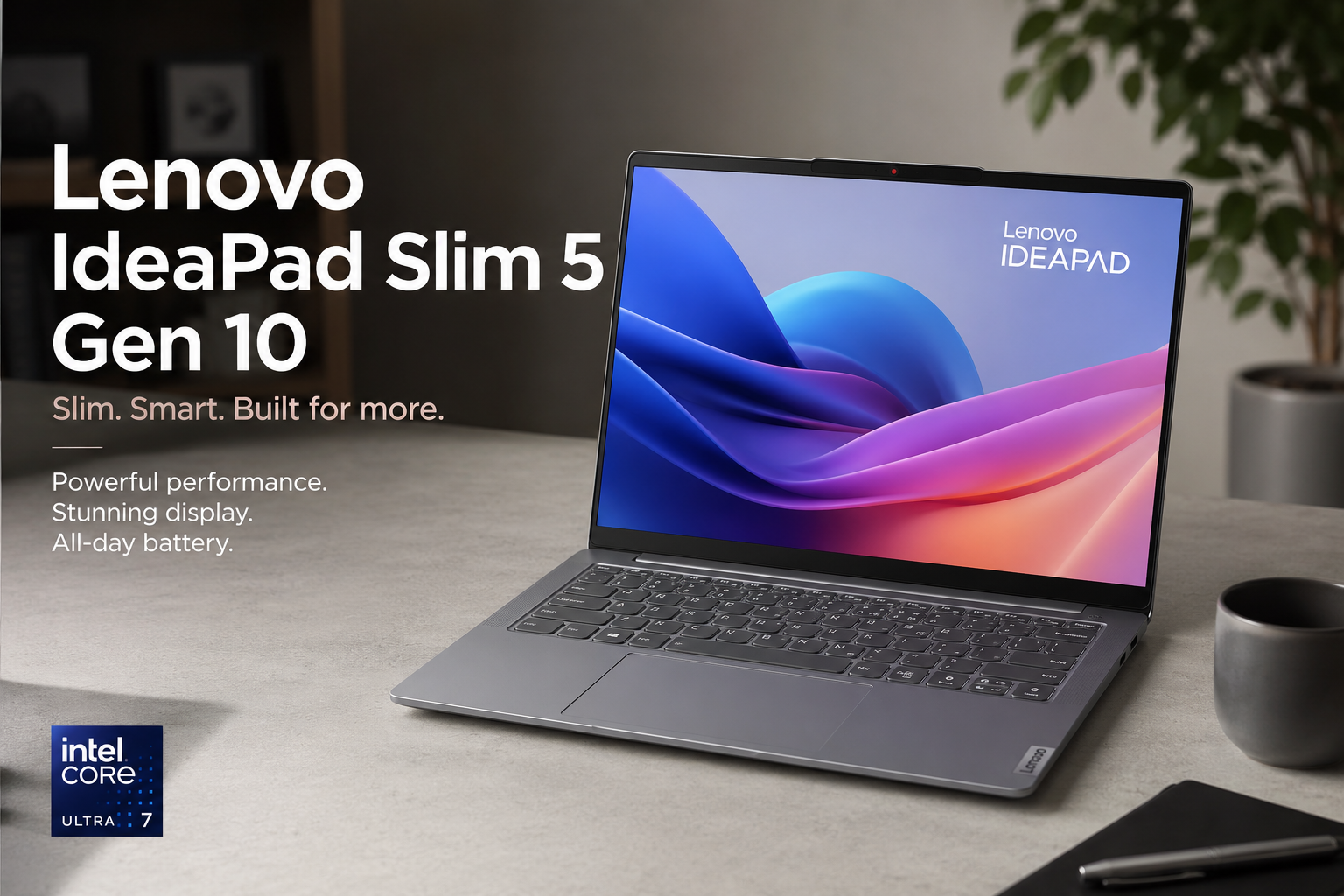
The Lenovo IdeaPad Slim 5 Gen 10 is the most affordable laptop in this guide that can genuinely handle video editing, making it the perfect entry point for students, aspiring YouTubers, and content creators who are just starting their editing journey. According to manufacturer specifications, the AMD Ryzen AI 7 350 processor with Zen 5 architecture and integrated Radeon 860M graphics provides sufficient power for 1080p video editing and light 4K work in DaVinci Resolve and Adobe Premiere Pro. The dedicated XDNA 2 NPU accelerates AI-powered features like background removal, auto-reframe, and speech-to-text transcription.
The 14-inch WUXGA OLED display is a revelation at this price point, offering 1920×1200 resolution, 120Hz refresh rate, and 100% sRGB color coverage that makes color correction and grading far more accurate than typical IPS panels found on budget laptops. The TÜV Rheinland and Eyesafe certifications reduce eye strain during those inevitable late-night editing sessions. The 16:10 aspect ratio provides extra vertical space for timeline tracks and tool panels in editing software.
The generous 24GB of LPDDR5x RAM is unusual for this price segment and ensures smooth multitasking between editing software, browsers with reference videos, and music streaming. The 1TB NVMe SSD provides ample storage for project files and footage, with read speeds that keep the system responsive. At just 1.15kg and 14.3mm thin, this is the most portable laptop in this guide — perfect for editing on campus, in coffee shops, or while traveling. The MIL-STD-810H durability certification means it can survive the occasional bump or drop. Buyers looking for an affordable, portable laptop that can handle video editing coursework, social media content creation, and light professional work will find this device appears to offer exceptional value for money.
Key Specs: AMD Ryzen AI 7 350 (8-core/16-thread, up to 5.0GHz, Zen 5) | 14″ WUXGA OLED, 1920×1200, 120Hz, 100% sRGB, 400 nits, TÜV Rheinland | 24GB LPDDR5x-6400 + 1TB NVMe SSD | 54.7WHr | Up to 19.9 hours video playback | Rapid Charge Boost | ₹87,990 (24GB/1TB variant)
5. MSI Prestige 14 AI Evo — Best Portable AI-Powered Video Editing
🏆 MSI Prestige 14 AI Evo

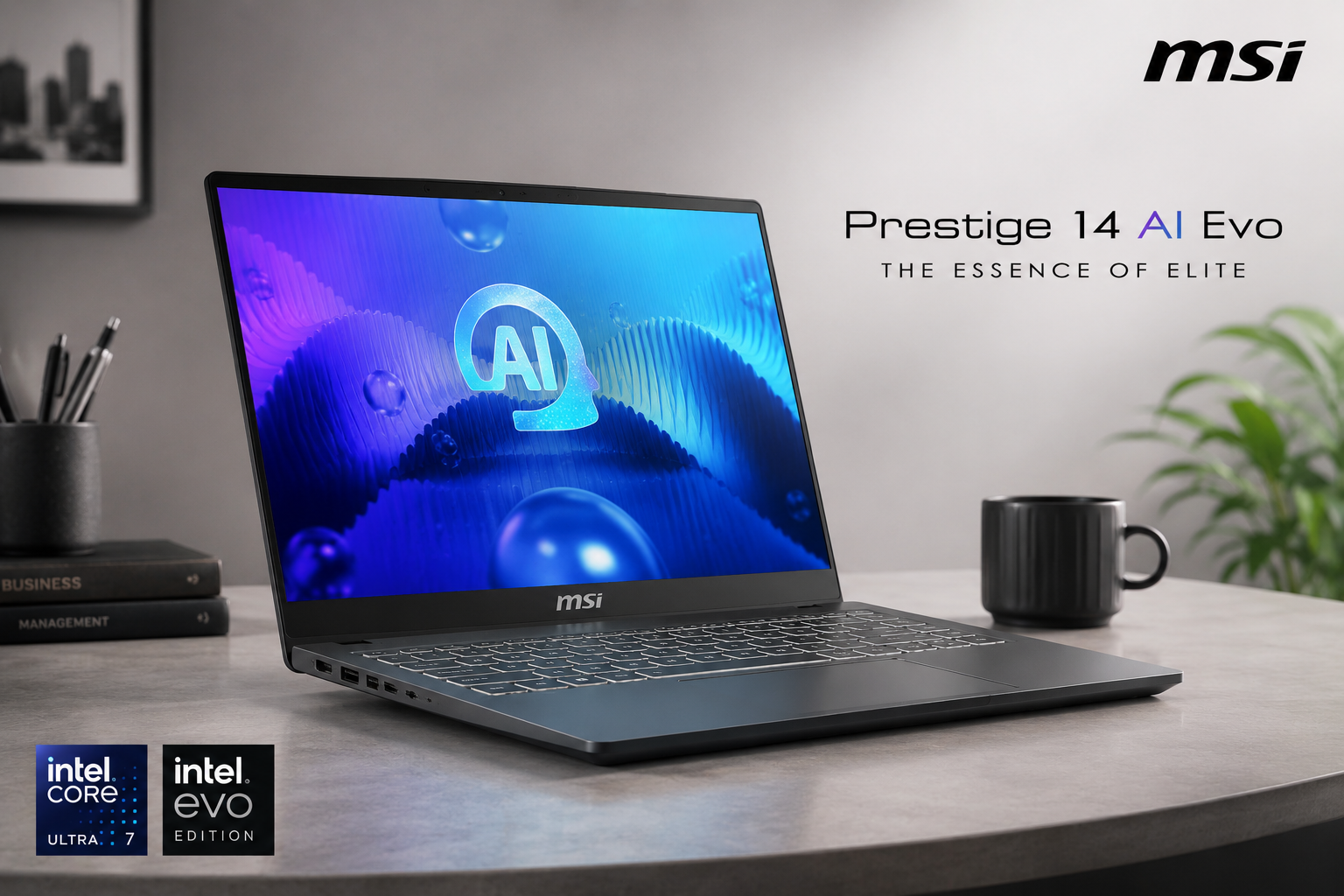
The MSI Prestige 14 AI Evo brings cutting-edge AI acceleration to portable video editing, making it the smartest choice for creators who leverage AI-powered tools in their workflow. According to manufacturer claims, the Intel Core Ultra 7 155H processor with its built-in Neural Processing Unit delivers 50 TOPS of AI processing power, accelerating tasks like Adobe Firefly generative fill, automatic scene detection, background noise removal, and real-time eye contact correction in video calls. The MSI AI Engine continuously monitors workload and automatically optimizes performance modes, ensuring the laptop runs silently during light tasks and unleashes full power during exports.
The 14-inch WUXGA display with a 144Hz refresh rate and 16:10 aspect ratio is a standout feature for a business-oriented ultrabook. The 144Hz makes timeline scrubbing noticeably smoother than standard 60Hz panels, while the extra vertical space from the 16:10 ratio fits more timeline tracks on screen. The 100% sRGB coverage ensures accurate color representation for web-based content creation. At just 1.7kg and 16.9mm thin, this is one of the most portable laptops that can genuinely handle video editing.
The 75WHr battery is the largest in its class, providing genuine all-day endurance for location shoots and editing sessions away from power outlets. The 65W USB-C fast charging delivers 50% battery in just 30 minutes — perfect for quick top-ups between meetings. The Thunderbolt 4 port supports external GPUs and high-speed storage, while Wi-Fi 7 ensures fast wireless file transfers from network-attached storage. The dual Windows Hello authentication via fingerprint and IR camera provides both security and convenience. Buyers looking for an ultra-portable laptop with intelligent AI performance optimization, excellent battery life, and professional-grade connectivity will find this device appears to offer the most future-proof option for AI-assisted video editing.
Key Specs: Intel Core Ultra 7 155H (16-core, up to 4.8GHz, Meteor Lake) | 14″ WUXGA IPS, 1920×1200, 144Hz, 16:10 Golden Ratio, 100% sRGB | 16GB DDR5 + 1TB NVMe PCIe SSD | 75WHr | 65W USB-C Fast Charging | 50% in 30 minutes | ₹89,990 (Core Ultra 7 / 16GB / 1TB)
How to Choose the Right Video Editing Laptop
Display Quality & Color Accuracy: For video editing, a color-accurate display is non-negotiable. Look for 100% sRGB coverage as a minimum, with 100% DCI-P3 preferred for HDR workflows. OLED panels offer true blacks and infinite contrast, making them ideal for color grading. A Delta E rating below 2 ensures professional color accuracy. Higher resolution (2K or 4K) provides more workspace for timelines and tool panels, while 120Hz+ refresh rates make scrubbing smoother.
Processor & GPU: Video editing is both CPU and GPU intensive. For 1080p editing, a modern 6-core processor with integrated graphics is sufficient. For 4K editing, look for 8-core+ CPUs with dedicated GPUs like NVIDIA RTX 4050 or better. The ASUS ProArt P16 with RTX 5080 and MacBook Pro with M3 Pro handle 8K timelines effortlessly. AI-accelerated processors (Intel Core Ultra with NPU, AMD Ryzen AI) speed up AI features in editing software.
RAM & Storage: 16GB RAM is the absolute minimum for video editing in 2026 — 24GB or 32GB is strongly recommended for 4K workflows. Fast NVMe SSD storage (PCIe Gen 4) is essential for smooth timeline playback with large video files. A 1TB SSD is the sweet spot, with external SSDs via Thunderbolt 4 or USB 4 for archive storage.
Port Selection: An SD card reader saves time when ingesting footage from cameras. Thunderbolt 4 or USB 4 ports support external GPUs, high-speed storage, and 4K+ monitors. HDMI 2.1 is useful for connecting external reference displays. Wi-Fi 7 ensures fast wireless file transfers from network storage.
Software Ecosystem: macOS laptops (MacBook Pro) excel with Final Cut Pro and Logic Pro integration. Windows laptops offer broader software compatibility with Adobe Premiere Pro, DaVinci Resolve, and After Effects. Some Windows laptops include free Adobe Creative Cloud subscriptions — check before purchasing.
Budget Breakdown: Best Video Editing Laptops by Price Range
| Budget Range | Best Pick | Why |
| Under ₹1,00,000 | Lenovo IdeaPad Slim 5 Gen 10 | Best budget option with OLED display, 24GB RAM, and AI NPU for 1080p and light 4K editing |
| ₹1,00,000 – ₹2,00,000 | Apple MacBook Pro 14 M3 Pro | Best overall value with 18-hour battery, XDR display, and unmatched performance-per-watt efficiency |
| ₹2,00,000 – ₹3,00,000 | Dell XPS 15 9530 | Premium ultrabook with 3.5K OLED, RTX 4050, and professional build quality for creators on the move |
| ₹3,00,000+ | ASUS ProArt P16 | Ultimate Windows workstation with 4K OLED touchscreen, RTX 5080, and 64GB RAM for professional 8K editing |
📚 Related Buying Guides from DeviceMatrix
Frequently Asked Questions
Q: Can I edit 4K video on a laptop under ₹1,00,000?
A: Yes, absolutely. The Lenovo IdeaPad Slim 5 Gen 10 at ₹87,990 handles 1080p editing smoothly and can manage light 4K workflows in DaVinci Resolve and Adobe Premiere Pro thanks to its AMD Ryzen AI 7 350 processor and Radeon 860M graphics. For serious 4K editing with multiple tracks and effects, we recommend investing in the MacBook Pro 14 M3 Pro or a laptop with a dedicated GPU like the Dell XPS 15 9530.
Q: Is MacBook Pro better than Windows laptops for video editing?
A: For many professionals, yes. The MacBook Pro 14 M3 Pro offers superior performance-per-watt, meaning faster rendering with longer battery life. Final Cut Pro is highly optimized for Apple Silicon, and the Liquid Retina XDR display is among the most color-accurate available. However, Windows laptops like the ASUS ProArt P16 offer more powerful GPUs (RTX 5080), touchscreen support, and broader software compatibility. Choose MacBook for portability and Final Cut Pro workflow; choose Windows for maximum GPU power and flexibility.
Q: How much RAM do I need for video editing in 2026?
A: For 1080p editing, 16GB is the minimum. For 4K editing with multiple tracks and effects, 24GB–32GB is strongly recommended. The ASUS ProArt P16 comes with 64GB LPDDR5X, which is ideal for professional 8K workflows and running multiple Adobe apps simultaneously. The Lenovo IdeaPad Slim 5 Gen 10’s 24GB RAM is excellent for its price, while the MacBook Pro’s unified memory architecture makes 18GB feel like significantly more on Windows.
Q: What is an NPU and why does it matter for video editing?
A: An NPU (Neural Processing Unit) is a dedicated AI accelerator built into modern processors like Intel Core Ultra and AMD Ryzen AI. It handles AI-powered features in editing software — such as Adobe Firefly generative fill, automatic scene detection, background removal, and noise reduction — without burdening the CPU or GPU. This results in faster exports and smoother real-time previews when using AI features. The MSI Prestige 14 AI Evo and Lenovo IdeaPad Slim 5 Gen 10 both feature powerful NPUs that significantly enhance AI-assisted editing workflows.
Q: Should I buy during sales or at full price?
A: Major sales like Amazon Prime Day, Flipkart Big Billion Days, and Diwali sales often offer discounts of ₹10,000–₹30,000 on premium laptops. The MacBook Pro 14 M3 Pro and Dell XPS 15 9530 frequently see significant price drops during these events. Student discounts and exchange offers can provide additional savings. If your need is not urgent, waiting for a major sale can save substantial money. However, the Lenovo IdeaPad Slim 5 Gen 10 and MSI Prestige 14 AI Evo are already aggressively priced and offer excellent value even at full MRP.
Affiliate Disclosure: This post contains affiliate links. If you purchase through these links, we may earn a small commission at no extra cost to you.
Content Disclosure: This content was produced with AI assistance and human review to ensure accuracy, fairness, and helpfulness for our readers.